
 Home
>
PDF Tips
>
How to Download Studocu Docs for Free: Legal Ways and Safety
How to Download Studocu Docs for Free: Legal Ways and Safety
- Downloading Studocu docs legally means using Studocu's own features, uploading notes, paid Premium, or viewing allowed pages, never hacks or third-party downloaders, as the method summarization table shows.
- Our method summarization table compares five legal routes: uploading notes, free trial/app, saving viewable pages, original sources, and classmates, each with different costs and PDF outcomes.
- Uploading your own notes is the primary free way to get Studocu's real PDF download, earning 5 days of Premium per accepted document, as summarized in the method table.
- The free trial and mobile app let you read Premium documents but not download them, a limitation the method summarization table makes clear at a glance.
- Studocu Bypass tools break Studocu's Terms of Use and risk ads, malware and account bans, so the method summarization table points you toward the five legal alternatives instead.
The most common legal way to download Studocu docs for free is to upload your own study notes. Each document Studocu accepts gives you 5 days of Premium, which includes downloads. The 30-day free trial and the Studocu app let you read Premium documents for free, but Studocu says trial accounts can't download. Tools that "hack", "unlock" or "unblur" Studocu break its Terms of Use and often come with ads or malware, so skip them. Once you have the PDF, a PDF editor like PDNob lets you OCR, edit and annotate it.
In this guide, I cover what's legal, what each Studocu plan really gives you, 5 legal ways to get the material, and why bypass tools aren't worth the risk.

Part 1. Is Downloading PDFs or Documents from Studocu Legal?

Yes, when you use Studocu's own features: Studocu Premium can be earned by uploading, a paid Premium plan, or pages you're already allowed to view. Downloading through hacks, unlockers, blur-removal tricks or third-party "Studocu downloaders" isn't allowed by Studocu's Terms of Use.
Here's why the line sits there:
- Downloads are a Premium feature. Studocu's Help Center describes downloading as part of a Premium account. On a document page, the Download button asks you to upload your notes or upgrade.
- Uploaders keep their rights. When students share documents on Studocu, they keep the rights to their material. Studocu also removes content when rights holders report it.
- Downloads are for you. Studocu says a downloaded document is linked to your name, and forwarding or uploading it somewhere else isn't allowed. If you want to share, send the document link instead.
- Your school's rules still apply. Studocu itself notes that guidelines differ between institutions, and some universities don't allow course slides or exams to be shared.
Rules also differ by country, and this isn't legal advice. The simple test: if you're using Studocu's own buttons and keeping the file for your own study, you're on the right side.
Part 2. Is Studocu Free? Plans and What You Get
Yes, Studocu has a free account. A portion of the library is free to read, while the most popular documents are marked Premium and show only a preview. Scroll down a Premium document on a free account and you'll see "This is a preview" with options to upload or start a trial.

 Please swipe to view
A few details worth knowing:
-
Trial: Studocu's Help Center says the trial lets you view all Premium content, is available once per user, and doesn't include downloads. Unless you cancel, it turns into a paid subscription when it ends.
-
Price: Studocu doesn't publish one global price. The cost depends on your country and currency, and you see your local offers after you sign in.
-
App: Studocu says the mobile app lets you view all documents for free. Downloads still need Premium.

2.1 How Many Documents Can I Download from Studocu?
Studocu doesn't publish an exact number. Its Help Center says downloads have limits "to ensure fair access for everyone", and if you hit them, you may need to wait before downloading more. Free accounts without earned Premium can't download Premium documents at all. If you're preparing for exams, download the files you need early instead of all at once the night before.
Part 3. How to Download Studocu Docs for Free: 5 Legal Ways
Following is a quick comparison table of paths to download Studocu Docs or PDFs for free:
Please swipe to view
3.1 Upload Your Own Notes to Unlock Downloads
This is the only free way to get Studocu's own PDF download. Studocu gives you 5 days of full Premium access for each document it accepts.
What you need: your own notes, summaries or study guides that you have the right to share. Don't upload lecture slides, textbooks or exam papers that aren't yours.
-
Sign in and open the document you want. Click Download. Studocu shows "Download this document?" with an Upload to unlock downloads button.
-
Click Upload to unlock downloads (or the Upload button on the preview). Drag in your files and add the course and university details.
-
Wait for Studocu's review. Premium days are added only after a document is accepted, so rejected uploads don't count. Then fill in your institution,course, and category info.
Go back to the document and click Download to save the PDF.


Pros
- Completely free
- Gives you Studocu's real PDF
- Helps other students too
Cons
- You need notes you're allowed to share
- Premium lasts 5 days per accepted upload
- Review can reject documents
3.2 Read Premium Documents with the Free Trial or the App
If you only need to read a document, not keep a copy, the free trial or the app is the fastest option.
-
On the preview, click Free Trial, or open Studocu's Premium page and choose Try 30 days for free. You can also install the Studocu mobile app, which lets you view documents for free.
Read and study the Premium document online.
-
If you don't want to pay, cancel the trial before it ends. Studocu says trial access ends as soon as you cancel, so finish reading first.

the trial doesn't include downloads. To download, use Method 1 or a paid plan.
Pros
- Full access to Premium content
- No uploads needed
Cons
- No downloads during the trial
- Turns into a paid plan unless canceled
- Once per user
3.3 Save Pages You Can Already View for Personal Study
For pages you can read in full on your account, you can keep a copy for your own study.
Open the document and scroll to the page you need.
-
Take a screenshot (Windows + Shift + S on Windows, Shift + Command + 4 on Mac), or use your browser's Print > Save as PDF if it's available.
-
Combine the images or pages into one PDF so they're easy to study from.
Only use this for pages you can already read in full. Don't use it to get around blurred Premium pages, and don't share the copy.
3.4 Get the Same Material from the Original Source
Many Studocu documents are based on material you may already have access to.
- Check your course portal, such as Canvas, Moodle or Blackboard, for slides and handouts.
- Search your university library for the textbook, past papers or reading lists.
- Search the document title together with your course code or the lecturer's name.
- Look on the lecturer's or department's page for published notes.
3.5 Ask Your Classmates
If a classmate wrote the notes, ask them to send you their file directly. Study groups often share summaries in a shared drive. You can also share a Studocu link with friends, but Studocu says they need at least a trial to view it.
Part 4. Is It Safe to Use Studocu?
Yes. Studocu is an established study platform run by StudeerSnel B.V., based in Amsterdam, with public Terms of Use and a copyright process. A few things keep your use of it safe:
- Account safety: use a strong, unique password. Studocu never needs your password on a third-party site.
- Uploading: you keep the rights to your documents and can delete them later, but you give Studocu permission to show them. Only upload what you have the right to share.
- Academic rules: some universities don't allow sharing course slides, assignments or exams. Check your school's policy before uploading.
- Payments: trials turn into paid subscriptions automatically. Set a reminder to cancel if you don't want to pay.
- Content quality: notes are written by other students, so double-check facts against your course material.
Part 5. Studocu Premium Bypass Tools: Considerations and Warnings
Search for "Studocu downloader" and you'll find many sites and extensions that promise to unblur or download Premium documents for free. Here's what they are and why they're risky.
Please swipe to view
Before you try any of them, keep these points in mind:
- They break Studocu's Terms of Use and can get your account suspended.
- Copyright still applies. The uploader's rights don't disappear because a tool removed the blur.
- Ads, fake download buttons and malware are common on these sites.
- Never enter your Studocu or Google login into a third-party tool or extension.
- Results are unreliable. Blurred pages are often not the real text, so you may end up with a useless file.
What to do instead: upload your notes (Method 1) to get the real PDF, or use the free trial (Method 2) to read the document.
Part 6. Edit, OCR and Annotate Downloaded Studocu PDFs with PDNob
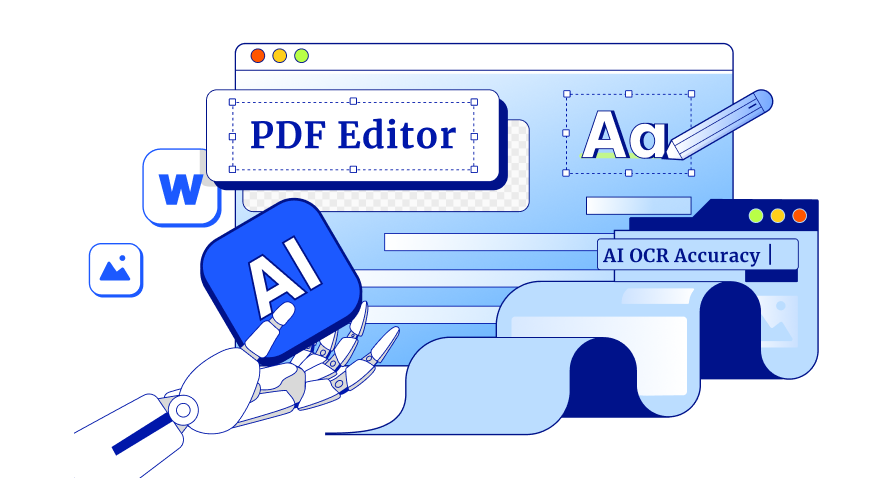
Once you have a Studocu PDF, PDNob PDF Editor helps you actually study with it. Many shared notes are scanned pages or photos, so you can't search or copy the text. PDNob is a lightweight AI PDF editor with high accuracy ABBYY OCR SDK. It runs OCR to make them searchable and editable, lets you fix or rewrite text, highlight and comment, and converts PDFs to Word. It's available on Windows and Mac. It also offers a bilingual AI translation panel for you to perform easier bilingual study using PDF files.

Pros
- Accurate OCR for scanned notes
- Edit text, fonts and layout
- Highlight, comment and convert to Word
- Windows and Mac
Cons
- Full features need a paid plan
- Desktop app, not a browser tool

6.1 How to OCR a Scanned Studocu PDF
-
Open PDNob and click OCR PDF on the home screen, then choose your downloaded Studocu PDF.
-
In OCR Settings, choose Editable Text to edit the content, or Searchable Text if you only need to search it.
-
Pick the pages and the document language, then click Perform OCR.


6.2 How to Edit and Annotate the PDF
-
Click Edit, then Edit All to change wording, fonts or size in the text boxes.
-
Open the Comment tab to highlight, underline and add notes to key points.
-
Save the PDF, or convert it to Word if you want to rewrite the notes in your own words.


FAQs About Downloading Studocu Docs
Q1. How do I download Studocu documents for free?
A1: Upload your own study notes. Each document Studocu accepts gives you 5 days of Premium, which includes downloads.
Q2. Can I download from Studocu with the free trial?
A2: No. Studocu's Help Center says the trial lets you view all Premium content, but downloading is only available with a paid Premium subscription or Premium earned by uploading.
Q3. How do I unlock Studocu for free on Reddit?
A3: Most Reddit threads suggest uploading your own notes for free Premium or using the trial to read. Extension and "hack" tips break Studocu's terms and often stop working after updates.
Q4. How do I get rid of the Studocu blur?
A4: The blur marks Premium content. Unlock it with Premium earned by uploading, the free trial, the app, or a subscription.
Q5. Can I download Studocu to PDF?
A5: Yes. When you have download access, Studocu saves documents as PDFs.
Q6. Is there a free version of Studocu?
A6: Yes. The free account lets you read free documents and previews, and the mobile app lets you view documents for free. Downloads need Premium.
Q7. How many documents can I download from Studocu?
A7: Studocu doesn't publish a number. Premium downloads have fair-use limits, and if you reach them you may need to wait before downloading more.
Q8. Is it safe to use a Studocu downloader?
A8: Studocu's own Download button is safe. Third-party downloaders and extensions are risky because of ads, malware and account bans.
Conclusion: The Best Way to Download Studocu Docs for Free
To download Studocu docs for free and legally, upload your own notes to earn 5 days of Premium per accepted document, then use Studocu's Download button. If you only need to read, the 30-day trial or the app works, as long as you remember the trial doesn't include downloads. Skip hacks, unlockers and online downloaders, which break the rules and put your device at risk. Once you have the PDF, PDNob PDF Editor helps you OCR, edit and annotate it so you can study faster.



- Make scanned PDFs searchable and editable with 99% OCR precision
- Batch convert PDFs to Word, Excel, PPT, images, PDF/A, Text, EPUB, etc., up to 30% faster
- Edit PDFs easily like Word, including text, images, watermarks, links, and backgrounds
- Annotate PDF with highlights, comments, shapes, stickers, and stamps
- Run smoothly on any PC without lags or crashes, even on low-spec machines
 Secure Download
Speak Your Mind
then write your review
Speak Your Mind
Leave a Comment
Create your review for PDNob articles
Related articles

AI Tools Writer / Workflow Analyst
Rachel has spent the last 5 years testing and writing about AI-powered tools across writing, design, and research workflows. She focuses on practical AI tool usage, helping knowledge workers turn generative AI into everyday productivity.


