
 Home
>
PDF Editor
>
PDNob vs. Nitro - Differences in Price, Features, and AI
PDNob vs. Nitro - Differences in Price, Features, and AI
- 1 Both products cover the same ground. PDNob and Nitro PDF both give you editing, conversion, OCR, and AI. Rather than counting features, compare how easy each one is to work with, how well OCR reads a scan, what the AI plan costs you, and how each one fits real work.
- 2 PDNob gives you a free version with no time limit, plus annual and lifetime licenses. The free version allows one OCR run and one conversion per week, and exports without a watermark on 20 files.
- 3 Nitro PDF sells Standard and Plus subscriptions, plus Classic, a three-year license. Standard is $180 per user per year, and Plus adds enterprise security such as SSO (single sign-on) and domain control.
- 4 Long-term cost depends on how you license. PDNob's lifetime license is $64.99, while three years of Nitro PDF Standard comes to $540. Prices and discounts change, so check the latest terms before you buy.
- 5 Start with the free version and test what you need. Pick the license that matches how you actually work, and you avoid paying for features you will never open.
Choosing a PDF program means looking at more than the feature list. Price, the type of license, and what you plan to use the program for all matter. If you want OCR or AI on top of editing and conversion, it is worth comparing what each program really offers and what its actual limits are.
This guide compares the main features, pricing and licensing, and free usage conditions of PDNob and Nitro PDF. We look at personal users and small teams to show which program fits which situation, and we list what to check before you buy.
Part 1. PDNob vs Nitro PDF: Which PDF Editor Should You Choose?
When you choose a PDF editor, weigh the features you need, how often you use them, and what the license costs. Look at PDNob if you want to start on a free version and then use editing, conversion, OCR, and AI. Look at Nitro PDF if you want to keep the workflow your team already runs, or if you need a specific enterprise feature.
When PDNob Is the Better Choice


- If you want to try it free first: PDNob has a free version, so you can check the main features yourself and then decide whether to buy. Some features come with usage limits.
- If you handle PDF work often: editing, page management, file conversion, and OCR are all there, which suits everyday document work.
- If long-term cost matters: annual and lifetime license options let you match your budget and how long you plan to use it. Check the update and support terms before you buy.
- If you need AI on documents: PDF summaries, translation, and question answering about the file are all available. Check the usage limits and the extra cost separately.
When Nitro PDF Is the Better Choice

- If you want to keep your current workflow: if you already use Nitro PDF, staying put avoids the learning time and the document compatibility questions that come with switching programs.
- If you need enterprise features: team license management or your organization's document security rules call for specific products and plans, so check what each one covers.
- If your current license already does the job: if it handles what you need without trouble, compare the cost saving and the efficiency gain of a switch before you move.
In short, if you want editing, conversion, OCR, and AI together and you like having a wide choice of license options, PDNob is worth a look. If you want to keep an existing Nitro PDF workflow, or you need enterprise administration, check Nitro PDF's plans and what each one covers. The comparison table below shows the main features, prices, and free usage conditions of both products side by side.
Part 2. Key Differences Between PDNob and Nitro PDF at a Glance
Note: this table is based on the official product and pricing pages, checked on November 2, 2026. Prices, promotions, and feature coverage can vary by region, operating system, and plan.
• Lifetime license: $64.99 (lifetime free updates)
• Classic: one-time three-year license
As the table shows, both products cover the basic PDF work. What matters more is the real usage condition behind each row. Test the work you need on the free version first, then compare the AI limits and the length of the license, and you can pick the product that fits both your workflow and your budget.
Part 3. Price and License Comparison: What Does It Cost Long Term?
When you pick a PDF solution, the real saving comes from weighing the free coverage, the length of the license (subscription vs lifetime), and the extra cost of AI features, not just the first payment.
PDNob: Free Limits and Plan Structure

- Free version (no time limit): no watermark on 20 files across all features (a watermark applies after that), OCR and high-quality conversion once per week, batch processing up to 5 files, and 20 AI uses (up to 120 pages per file)
- 1 Year License: $49.99/year (tax excluded, auto-renews) — unlimited use with no watermark and every feature unlocked
- Lifetime License: $64.99 (promo price, tax excluded) — pay once, use it for life, and free updates are included
- PDNob AI add-on: 7-day free trial, then $39.99/year — worth adding when you want unlimited AI features
Nitro PDF: Plans and What Each One Includes
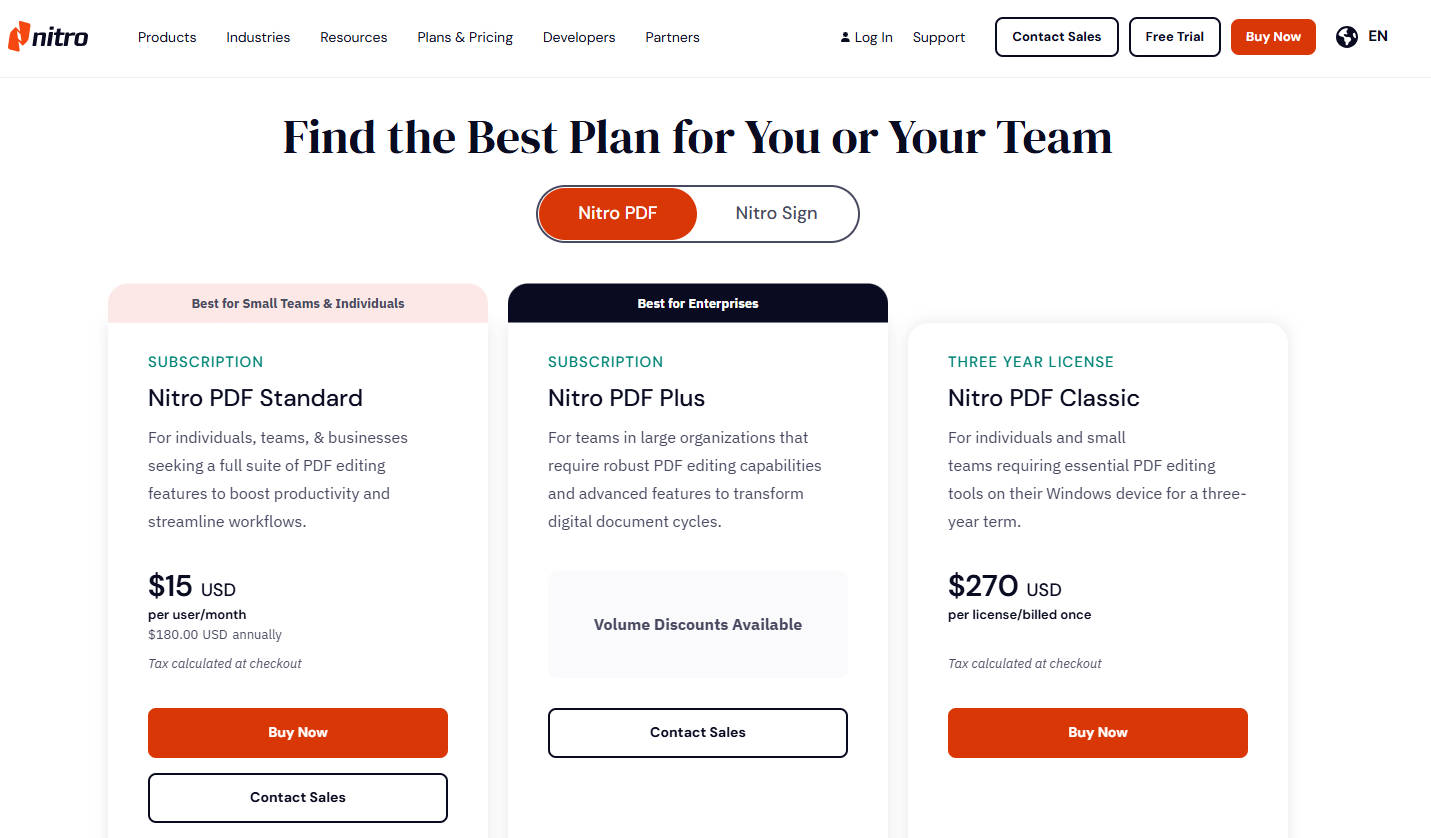
- 14-day free trial: every feature (editing, conversion, OCR, and more) is unlocked for the full 14 days, and no credit card is needed
- Standard (subscription): $15 per user per month ($180 billed yearly) — core PDF editing and conversion, plus AI tools and team management, on Windows, Mac, and iOS
- Plus (enterprise subscription): stronger security and administration with SSO, domain control, Azure Information Protection, and Nitro Analytics (price on request)
- Classic (three-year license): $270 once, Windows desktop only — core PDF editing with no subscription, and no AI tools
Expected Cost Over Three Years (TCO)
$64.99 (Lifetime License)

If you are looking for a PDF editor to use for a long time and want to cut the recurring payment, compare PDNob's lifetime license. On the other hand, if your organization needs admin features or a specific license term, look at the matching Nitro PDF plan. Before you decide, work out the total cost using the current sale price and the features you actually need.
Part 4. PDF Editing, Conversion, OCR, and AI Compared
If editing and converting PDFs is the main job, both products are worth a look. The deciding factor changes with the situation: whether you plan to test features on the free version, how often you handle scanned documents, and whether you want AI to read long files for you. PDNob covers everything from basic PDF work through OCR and AI document tools, while Nitro PDF's features and supported environment change with the plan and license you pick.
Basic PDF Editing and File Conversion
Fixing wording, swapping images, tidying pages, and converting to Word or Excel are the first things to compare. What matters less is whether a feature exists and more is how easily you can finish the job on the documents you actually open every day.
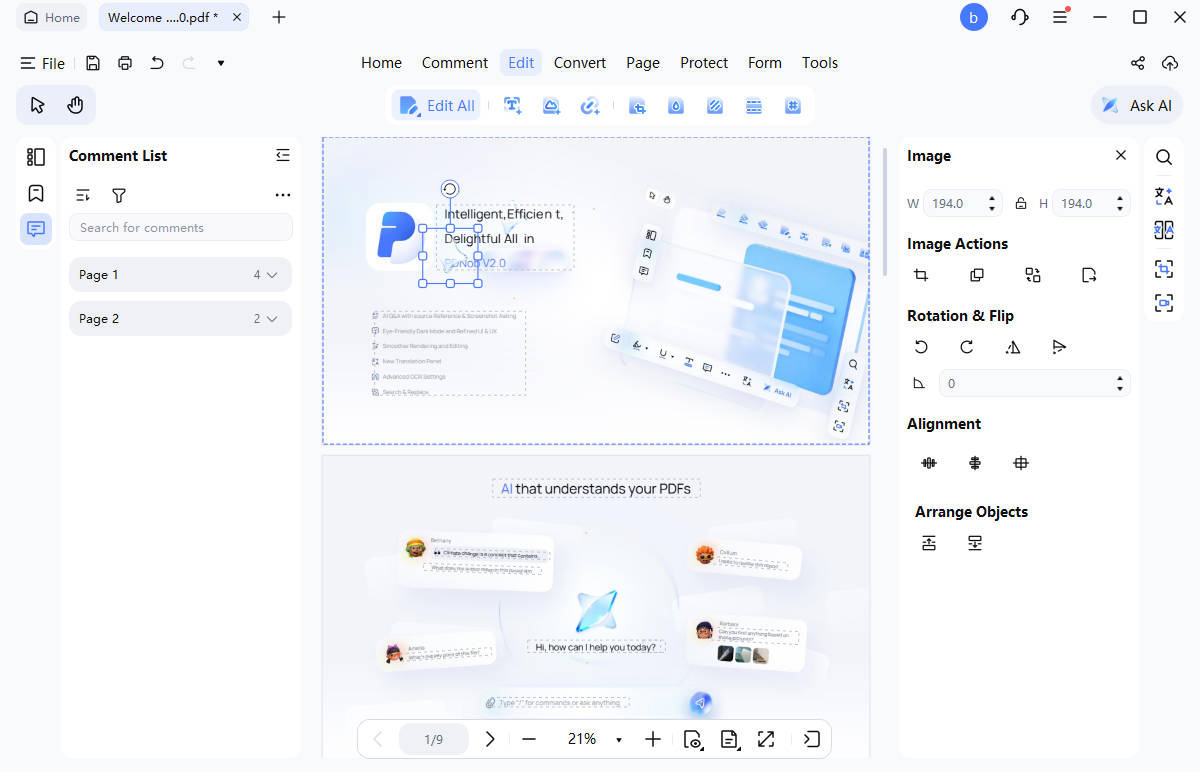
- PDNob: edit PDF text and images freely, and handle everything from adding comments to merging, splitting, and converting files in one place. The clear interface and practical editing tools make complicated PDF work faster and easier.
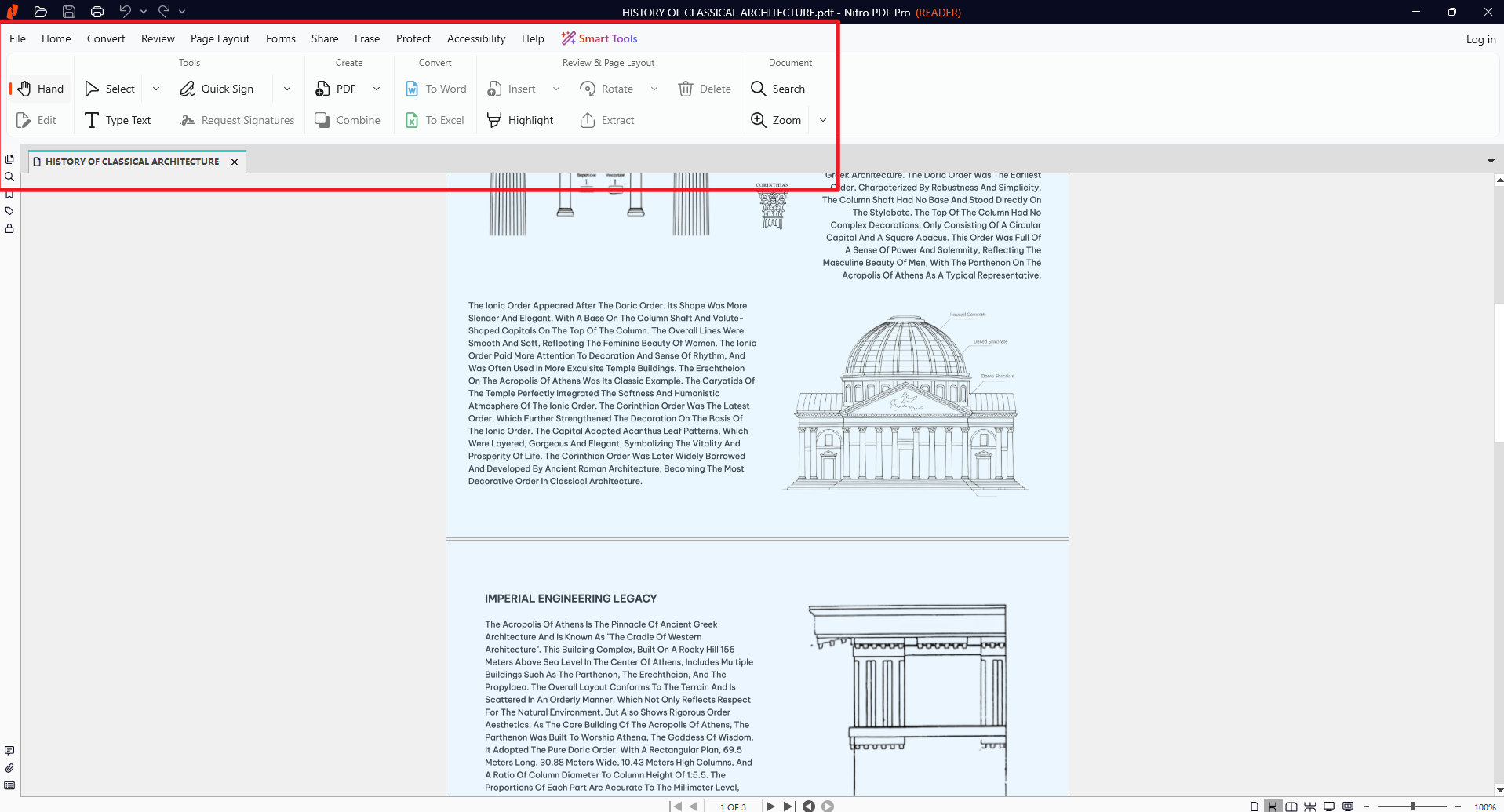
- Nitro PDF: PDF editing, Office file conversion, page management, and document security. Standard, Plus, and Classic differ in what they include and where they run, so compare the plan that covers the features you need.


If you often convert a PDF to Word to edit the content, what counts is how close the fonts, tables, and image placement stay to the original. If you only reorder pages or make small text edits, check how fast you can find the tool and finish the job.
OCR for Scanned Documents
If you store scanned contracts and paper documents as PDFs, OCR support matters. OCR (optical character recognition) reads the characters in an image so you can search the file and build on it later. Still, two programs that both support OCR will not read every document the same way, because scan quality and document layout change the result.
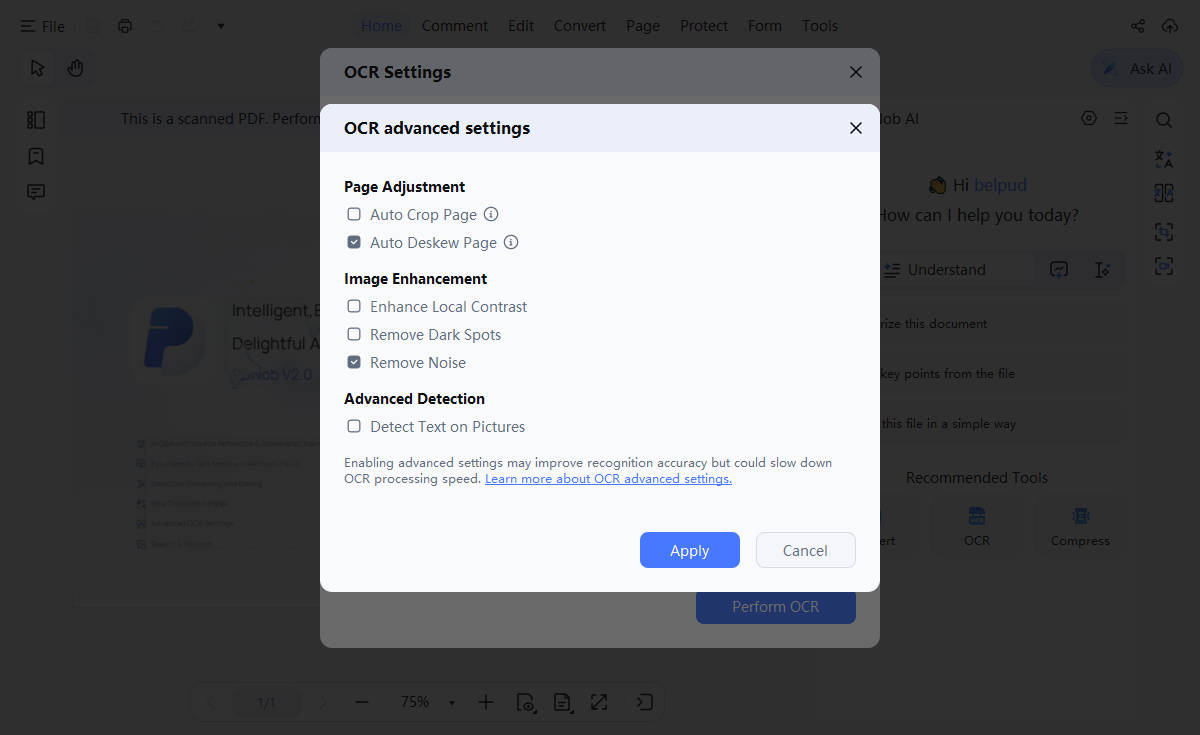
- PDNob: up to 99% OCR accuracy turns scanned PDFs and image text into documents you can search, copy, and edit. Blurry or tilted pages are corrected automatically, and the original layout and formatting are kept, so there is less to redo.
- Nitro PDF: OCR turns scanned documents into a searchable, editable form. Check the OCR terms for the exact product and license you plan to use, and then decide.
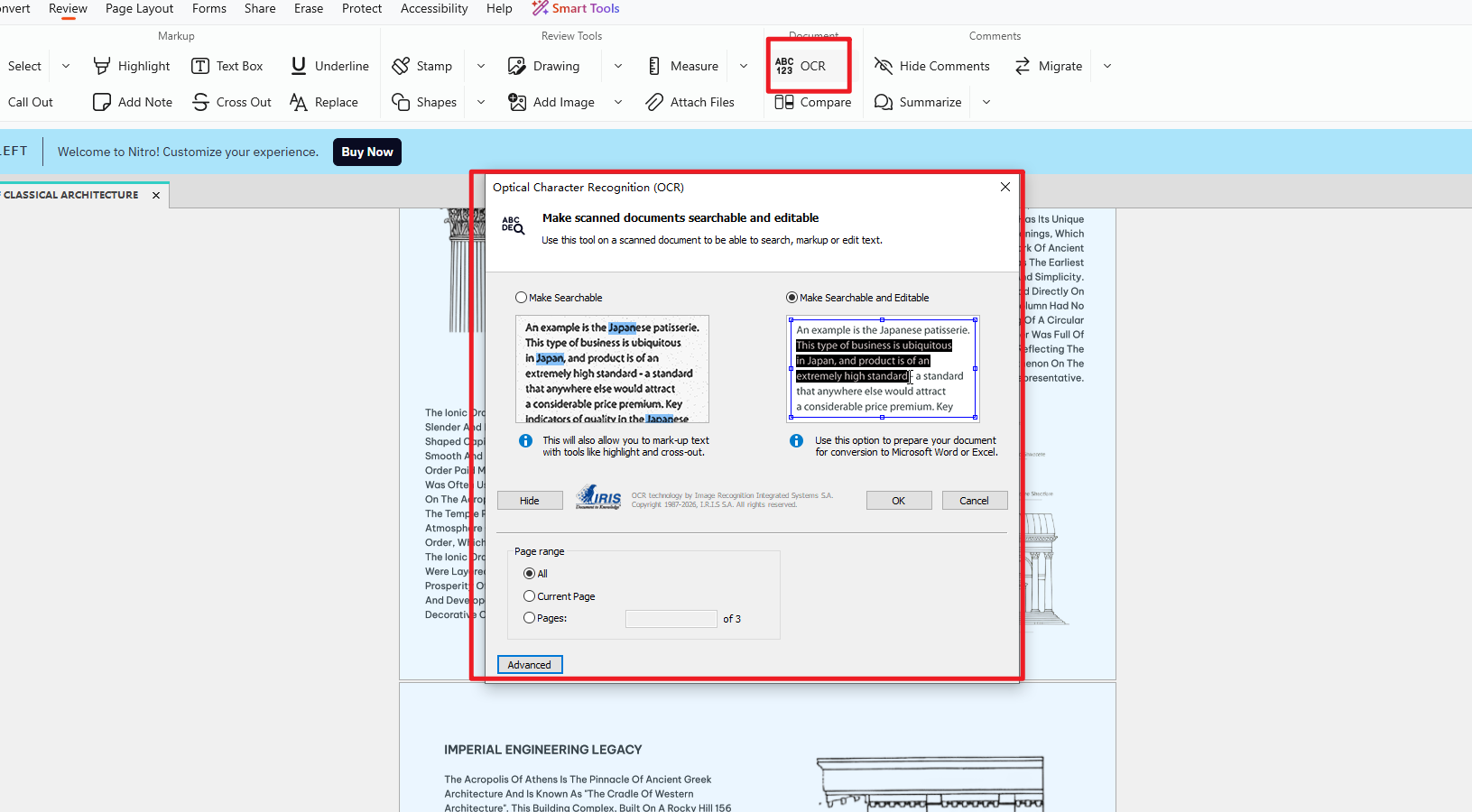


Free versus paid matters here as well. Nitro's free online converter handles one file at a time and does not include OCR, while OCR is part of the 14-day trial and the paid plans.
If you often work with contracts, or with reports full of tables, the accuracy of numbers and proper nouns matters as much as the text itself, and so does keeping the rows and columns of a table intact. Compare the original with the OCR output and you will see how much cleanup you would still have to do before you can search or edit the file.
AI Summaries, Translation, and Question Answering
If you review long reports or foreign-language PDFs often, AI summaries, question answering, and translation can save real time. Because each product offers a different set of AI tools under different terms, check that the features you need are actually available to you.
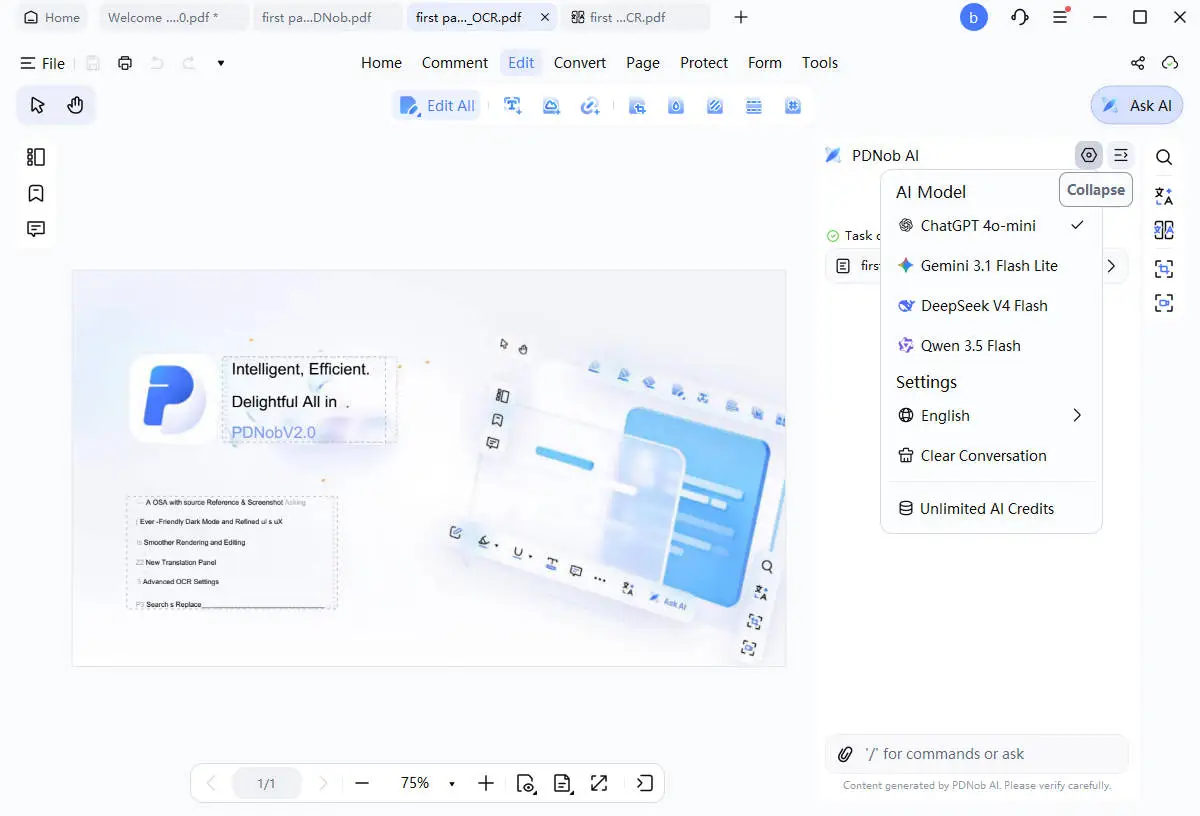
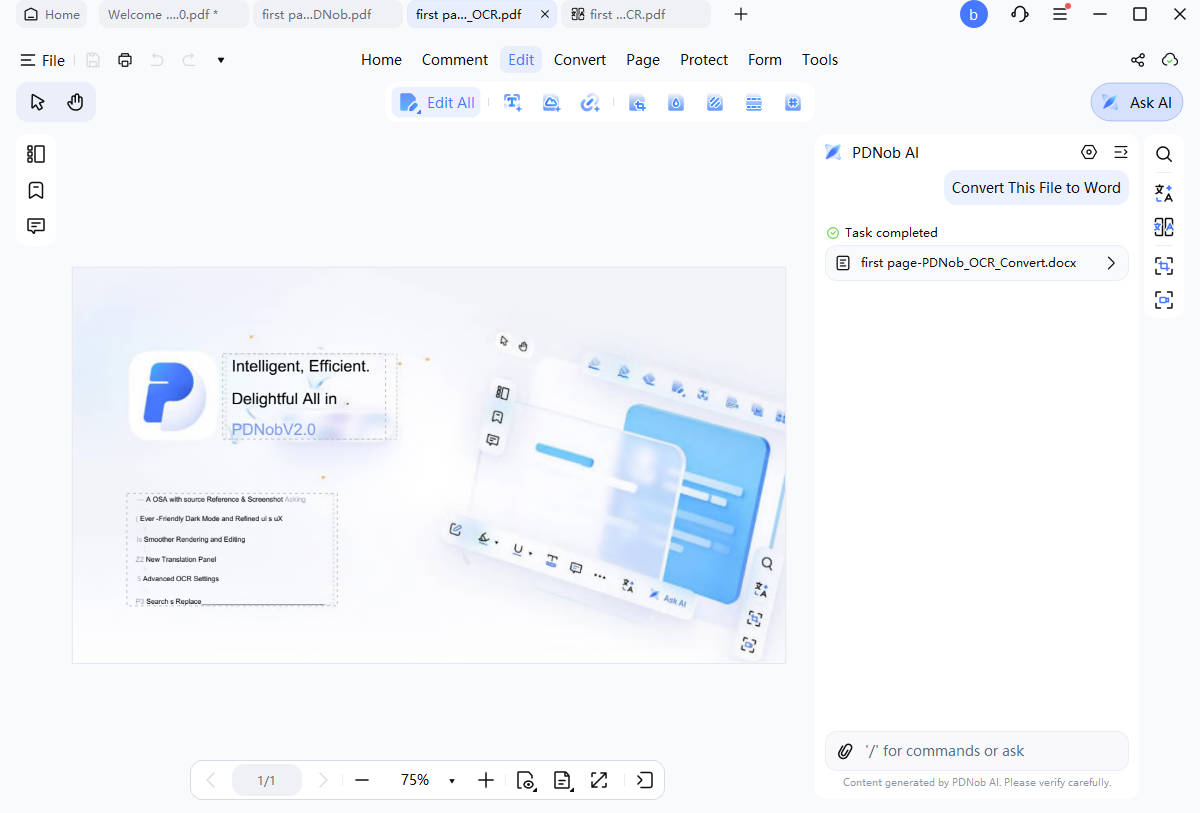
- PDNob: summarize the key points of a long PDF and chat with the document directly to find what you need. Translation covers more than 40 languages and keeps the original layout, and you also get explanations for specialist terms and text rewriting, so you can move from understanding a complicated document to writing the content. Page numbers and sources are shown on AI answers, so you can jump straight to the original text.
- Nitro PDF: whether AI is included, and how much of it, depends on the product and plan you are looking at. If AI is part of your daily work, check before you buy what is included, what the usage terms are, and whether anything extra costs more.

If you often need to get to the point of a long document or find a fact fast, compare the two on summaries and question answering. If you read foreign-language material often, translation is worth a look too. Check the accuracy of the answers, how easy it is to compare them with the source text, and whether the usage allowance is enough for your work.
Which One Fits Your Work?
If you want to check the basics on the free version first and see how far editing, OCR, and AI take you, PDNob belongs on your shortlist. Being able to choose between an annual subscription and a lifetime license is also worth weighing when you think about the cost over time.
On the other hand, if you already use Nitro PDF, or if your organization has security and administration requirements, check first whether the product and plan you use today meets them. In the end, weigh the features you need, how often you use them, the length of the license, and the extra cost together.
Part 5. Recommendations by User Type: Which PDF Program Suits You?
Whether PDNob or Nitro PDF suits you depends on the features you need and the workflow you already run. Let's split it into people who edit and use AI on their own, and teams that have to manage documents and users.
Who Should Consider PDNob
- Personal users who edit and convert a lot: people who want text and image edits, Office file conversion, and page cleanup handled in one program
- Users who work with scans and OCR: people who pull text out of image-only PDFs so they can search or edit later. Check the free version's OCR limit before you start.
- Users who want AI to speed up document review: people who want PDF summaries, question answering about the file, and translation. Look at the AI usage limits and the extra cost as well.
- Users who prefer a lifetime license: people who would rather pay once than hand over a subscription fee every year. Check the purchase price and what the update coverage includes.
Who Should Consider Nitro PDF
- Teams that want to keep their Nitro PDF workflow: if your document routine is already built around Nitro PDF, switching costs time and money, so factor that in.
- Companies that need administration features: if you need SSO (single sign-on), user management, or other enterprise features, check which product and plan includes them.
- Organizations that suit a subscription: if your procurement and license management work better with an annual plan, compare the contract terms and what each plan covers.
Part 6. Free Version Limits and What to Check Before You Buy
Even when a product offers a free version or a trial, the time limit and the per-feature limits differ from one product to the next. Checking what you can really use, the license terms, and the extra cost before you buy keeps unexpected spending down.
1. The terms of the free version and the trial
- PDNob free version: there is no time limit, but you can export 20 files without a watermark, and you can run OCR and file conversion once per week. Batch processing takes up to 5 files, and AI features are limited to 20 uses (up to 120 pages per file).
- Nitro PDF free trial: 14 days with the main features unlocked. Check the official page for the fine print and for what happens after the trial ends.
When you compare free versions, look at how often you can use the features you need, not just how long the trial lasts. Test editing, OCR, and conversion yourself and you will know whether the free terms fit the volume of work you actually have.
2. Check the license and the extra costs
- Auto-renewal and how to cancel: if you take an annual subscription, check the renewal date, the cancellation terms, and the renewal price.
- What a lifetime license covers: look past the one-time price at the update coverage and what happens to the features later on. A lifetime license does not mean every add-on or every future paid service is included.
- The separate cost of AI: check the AI usage limits, the price of the add-on plans, and what happens after the free AI trial ends.
- The final amount you pay: check whether the promotion applies and what taxes do to the real price. Judge the long-term cost of both products over the same period you saw in the price comparison above.
3. Check the operating system and data security
- Operating system and number of devices: check whether the environment you use (Windows or Mac) is supported, and how many devices the license allows and under what terms.
- Sensitive documents: if you handle contracts or financial files, look at how the files are processed and what the privacy policy says.
- AI data handling: if you plan to feed documents to AI tools, check that the way the data is processed and stored meets your organization's security rules.
Before you buy, check the free usage limits, the length of the license, auto-renewal, the extra AI cost, and the update terms in one pass. If the tool is for a company, add device management and data security requirements to that list.
Part 7. Test the Features You Need With the PDNob Free Version
If you are still not sure which program fits, try the features you use most often in the PDNob free version first. Open a PDF you work with regularly and test text editing, file conversion, and OCR, and you will see quickly how well it handles your actual work.
The free version has no time limit, but exports, OCR and conversion, batch processing, and AI features all come with usage limits. If you need more, check what a paid license covers and what it costs. Pick the version for your operating system below and get started.
Part 8. FAQ
Q1. Can I open and edit files I worked on in Nitro PDF with PDNob?
Most PDF files open and edit in PDNob just fine. Some elements, such as input forms, electronic signatures, and security settings, can differ in compatibility from one program to the next. When you move an important document, keep a copy of the original and check that the content and formatting survive the edit.
Q2. Can I use PDNob for free?
Yes. PDNob has a free version with no time limit. You can export 20 files without a watermark, run OCR and file conversion once per week, and batch process up to 5 files. AI features are limited to 20 uses (up to 120 pages per file). If you need a larger volume of work, check what a paid license covers.
Q3. Which is faster, PDNob or Nitro PDF?
Speed depends on the page count and structure of the PDF, your computer, and the type of task, so it is hard to say that one is always faster. To compare properly, open and edit or convert the same file in the same environment, then check the processing time and the output together.
Q4. Does PDNob offer both annual and lifetime licenses?
Yes. PDNob offers both an annual license and a lifetime license. If you plan to use it for a long time, compare the accumulated cost of the annual license with the up-front price of the lifetime license. Just remember to check the update coverage of the lifetime license and the terms of the AI add-on before you buy.
Q5. Is there a permanently free version?
PDNob's free version has no time limit, but some features come with usage limits. Nitro PDF offers a 14-day free trial, and you should check its feature list and the fine print on the official page. Use the PDNob free version if you need the basic features long term, and use the Nitro PDF trial if you want to see what Nitro does for a set period.


- Make scanned PDFs searchable and editable with 99% OCR precision
- Batch convert PDFs to Word, Excel, PPT, images, PDF/A, Text, EPUB, etc., up to 30% faster
- Edit PDFs easily like Word, including text, images, watermarks, links, and backgrounds
- Annotate PDF with highlights, comments, shapes, stickers, and stamps
- Run smoothly on any PC without lags or crashes, even on low-spec machines
 Secure Download
Speak Your Mind
then write your review
Speak Your Mind
Leave a Comment
Create your review for PDNob articles
Related articles

AI Tools Writer / Workflow Analyst
Rachel has spent the last 5 years testing and writing about AI-powered tools across writing, design, and research workflows. She focuses on practical AI tool usage, helping knowledge workers turn generative AI into everyday productivity.


