Preserve the Original Layout
Keep your PDF's original formatting intact after translation - including fonts, images, tables, charts, and page layouts.
PDNob
Translate any PDFs while preserving layouts, tables, charts, formulas, and images. Fast, accurate, and powered by AI.

 English
 Español
 Brazil
 简体中文
繁體中文
简体中文
繁體中文
 한국어
한국어
 Türkçe


Keep your PDF's original formatting intact after translation - including fonts, images, tables, charts, and page layouts.

Choose flexible translation modes optimized for everyday documents, business files, and complex professional PDFs.

Automatically recognize text from scanned PDFs with OCR and translate image-based documents accurately.

Export translated PDFs, create bilingual versions, or compare original and translated documents side by side for easier review.

Translate as many PDF pages as you need without page limits or additional translation fees.

Translate multiple PDFs at once when working with reports, research papers, or business documents.

Translate PDFs seamlessly across Windows, Mac, Web and mobile apps.

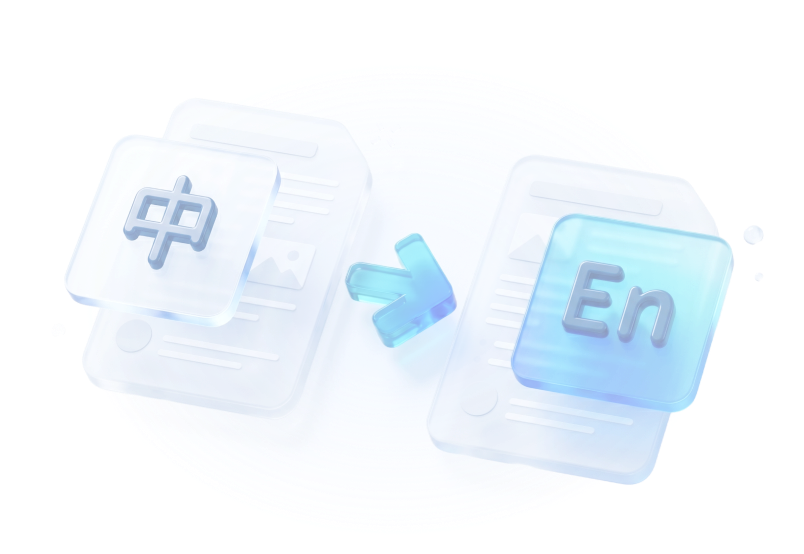
Translate complex PDFs with AI accuracy while preserving the original layout, structure, and formatting.
PDNob understands document context, sentence structure, and terminology to deliver natural, accurate translations.
Accurately recognizes text from scanned pages, preserving document structure before translation begins.
Detects paragraphs, tables, columns, and images to recreate the original document structure automatically.
Translate dozens or even hundreds of pages in minutes with high-performance AI built.
 Note: PDNob AI Plans are sold separately. Upgrading grants you unlimited access to AI translate, plus unlimited use of all other AI features, including AI Chat, AI Summary, and more.


Perfect Preservation of Complex LaTeX Formulas and Academic Layouts
“As a researcher, I often need to read foreign academic papers. Other tools completely butcher the LaTeX formulas and citations, but PDNob AI kept every single equation, reference list, and multi-column layout perfectly intact. It saved me weeks of manual formatting!”


Dr. Aris Thorne
Postdoctoral Researcher
Academically Precise Translation for Long and Complex Research Papers
“I was blown away by how it handled the complex charts and bibliography in a 40-page PDF report. The translation is academically precise, and I didn't lose any of my cross-references. Highly recommended for academia!”

Elena Rostova
Ph.D. Candidate
Keeps Every Scientific Notation Intact with Natural Language Flow
“Translating peer-reviewed papers used to be a nightmare because the mathematical symbols would turn into gibberish. This tool translates the language naturally while keeping the scientific notation 100% accurate.”

Prof. Kenji Sato
University Faculty
Spot-On Business Terminology Gives Us Confidence in Global Partnerships
“We use this to translate multilingual contracts and financial proposals daily. The business terminology is spot-on and professional, which is critical for our legal compliance. It gives us total confidence when presenting to global partners.”

Marcus Vance
International Trade Director
Maintains Brand Layout Styles Perfectly for Professional Client Pitch Presentations
“I uploaded a complex market research presentation in PDF format, and it translated the entire slide deck while perfectly maintaining our brand's original layout and font styles. It's an absolute game-changer for pitch meetings.”


Sarah Jenkins
Marketing Strategist
Flawlessly Translated and Structured Invoices Delivered in Seconds
“Handling foreign invoices and expense reports used to take up hours of our accounting team's time. Now we just drop the PDFs here, and we get flawlessly translated, neatly structured invoices in seconds.”

David Choi
CFO
Translates Complex Engineering Jargon and Wiring Diagram Labels Perfectly
“Technical manuals are full of complex engineering terminology and wiring diagrams. This tool not only translated the industrial jargon with extreme accuracy, but it also kept the text inside the technical drawings exactly where it belonged.”

Dieter Weber
Senior Mechanical Enginee
Handles Intricate Equipment Specifications Without a Single Layout Shift
“We needed to translate a 200-page equipment specification manual for our local team. PDNob AI handled the intricate data tables, dimensions, and hardware specs without a single layout shift. Incredible performance.”

Amara Okafor
Product Operations Manager
Keeps Architecture Diagram Labels Intact for Immediate Project Deployment
“Most translators fail when it comes to software architecture blueprints and IT schemas. This tool kept the diagram labels completely intact and aligned, making the translated deployment guide immediately usable.”

Luis Mendez
IT Systems Architect
Unmatched Translation Speed for Massive Hundreds of Pages Ebooks
“I needed to preview a foreign-language biography that was nearly 400 pages long. The speed of this tool is unmatched—it translated the entire eBook in just a couple of minutes, allowing me to enjoy a smooth, uninterrupted reading experience.”

Clara Montgomery
Independent Publisher
Natural Language Flow That Makes You Forget It Is AI-Translated
“I use this to translate non-fiction ePub and PDF books that aren't available in my language yet. The translation flows so naturally that you completely forget you're reading an AI-translated document.”

Tomás Silva
Literature Student & Avid Reader
Seamlessly Translates Giant Digital Books While Preserving Original Typography
“Usually, translating massive digital books crashes browser tools. PDNob Pro handled my huge eBook seamlessly, preserving the chapter structures, table of contents, and typography beautifully.”

Hana Nguyen
Content Curator
Yes. PDNob PDF Translator utilizes advanced document layout restoration technology to preserve your original document's structure. Fonts, visual styles, embedded images, tables, headers, footers, and multi-column formats remain intact, giving you a translated PDF that visually mirrors the original document.
Step 1. Drag and drop your PDF file into the PDNob PDF Translator tool.
Step 2. Choose your desired target language from over 100 supported languages.
Step 3. Click "Translate" to automatically process the document and download your translated PDF with full layout retention.
Yes. PDNob features built-in Optical Character Recognition (OCR) technology specifically designed for scanned PDFs, image-based documents, and read-only files. It automatically extracts, recognizes, and converts non-selectable text into clean, translatable text before performing high-accuracy translation.
PDNob is engineered to process large and heavy PDF documents easily. Unlike traditional online translators that freeze, fail, or impose strict page limits, PDNob leverages high-throughput neural MT engines to translate multi-page research papers, technical manuals, eBooks, and legal contracts smoothly without sacrificing speed or quality.
Your privacy and security are completely protected. PDNob uses TLS/SSL end-to-end encryption to ensure all file transfers are secure. Your uploaded and translated files are automatically and permanently deleted from our servers shortly after processing. Your data is never saved, shared, or used to train public AI models.
PDNob supports over 40 target languages for output while placing no limits on source languages. You can translate documents from any original language into widely used global languages, including English, Spanish (Español), French (Français), German (Deutsch), Russian (Русский), Portuguese (Brazil), Simplified Chinese, Traditional Chinese, Japanese (日本語), Korean (한국어), Italian (Italiano), Arabic (العربية), Dutch (NL), Turkish (Türkçe), Polish (Polski), and more.
Yes. After translation, PDNob allows you to export your document as an editable PDF or convert it directly into Microsoft Word (.docx) format. This gives you full flexibility to modify text, adjust layout elements, or customize formatting as needed.
While standard tools like Google Translate work well for short plain text, Pdnob is a dedicated document translator built for complex layouts. Pdnob preserves images, multi-column designs, and tables, handles scanned PDFs via integrated OCR, and processes large file sizes without clipping text or ruining page layout.
 Edit PDF
 Translate PDF
 Compress PDF
 Convert PDF
 OCR
OCR
Can't edit your PDFs just right? Learn how to modify text, rearrange pages, add annotations, and lock files with passwords.
Need your PDF in another language? Translate documents into Spanish, Chinese, Korean, Hindi, and 20+ more languages — layout preserved.
PDF too big to email or upload? Shrink your file down to any target size — 10KB, 100KB, 200KB — while keeping text and images sharp.
File stuck in the wrong format? Turn PDFs into Word, Excel, Hindi text, and more — formatting and fonts preserved.
Scanned docs you can't copy from? Use OCR to turn images and scans into editable, searchable text — fast and accurate.

Your all-in-one PDF editor for Windows, Mac and iOS. Edit, convert, and manage PDFs anywhere - across all your devices.