

PDNob Online is currently available only on Windows and Mac desktop computers. Please switch to a desktop browser to use our features.
Founded in 2007, Tenorshare PDNob is trusted by millions to simplify work.


1,285,963 files have been successfully compressed for free.
Get PDNob Desktop, Your All-in-One PDF Solution!
Just 3 easy steps to compress PDF to 80KB or below:
Click "Choose File" or drag and drop your PDF directly into the upload area.
Hit the "Compress" button to begin reducing your PDF file size to 80KB.
Download your compressed PDF once the process completes.
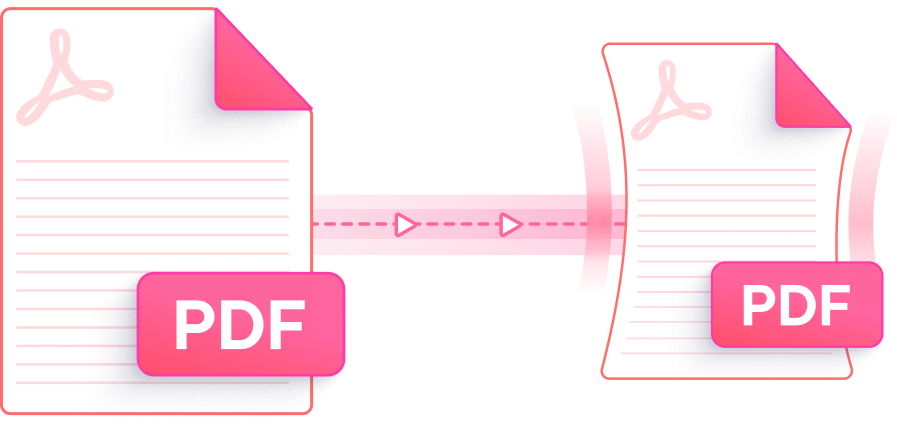
Compress PDF to 80KB or less using a powerful cloud-based tool that balances speed, security, and output quality.

PDNob's compression engine targets deep file size reduction — bringing PDFs down to 80KB or smaller — while keeping text legible and images visually intact throughout the document.

Not all PDFs compress the same way. PDNob offers selectable compression tiers — including a high-compression mode — so you can dial in the right balance between file size and visual output when targeting 80KB.

Reducing your PDF to 80KB doesn't require a subscription. Upload your file, compress it, and grab the result — no account creation, no watermarks, no payment needed.

There's nothing to install. Access PDNob's PDF size reducer directly from your browser on Windows or Mac — just open the page, upload your file, and compress PDF to 80KB in moments.

Every upload is transferred over SSL-encrypted connections. Your compressed PDF is automatically purged from our servers after processing, so your documents never linger in the cloud.

No learning curve. PDNob's interface is stripped down to the essentials — upload, compress, download. Whether it's your first PDF tool or your tenth, compressing a PDF to 80KB takes seconds.
This AI-powered PDF editor allows for different level of PDF compression, editing, annotation, OCR scanning, and documents management. Ideal for students, professionals, and power users.

Yes — for most text-heavy or mixed-content PDFs, compressing to 80KB is achievable while keeping the document readable. PDNob uses multi-layer optimization to compress PDF to 80KB by downsizing embedded images, stripping redundant metadata, and streamlining document structure. Results vary based on original content, but text clarity and layout are preserved in the output.
PDFs that contain primarily text, simple graphics, or low-resolution images compress most readily to under 80KB. Documents originally exported from Word processors or spreadsheets tend to reach the 80KB target more easily than scanned PDFs or files with full-color photography. For image-heavy files, enabling the high-compression option in PDNob gives you the best chance of hitting 80KB while maintaining acceptable visual quality.
On Mac, open your browser and go to PDNob's online PDF compressor — no installation needed, it runs entirely in Safari or Chrome. Upload your file, select a compression level, and download the reduced PDF. If you prefer a native option, macOS Preview's Export function includes a "Reduce File Size" Quartz filter, though PDNob typically delivers smaller output with better control over the final result when you need to compress PDF to 80KB precisely.
Several factors can prevent a PDF from reaching 80KB: the file may contain high-DPI embedded images, uncompressed vector art, or multiple embedded fonts that resist further reduction. Try switching to the maximum compression level in PDNob to push the output closer to 80KB. Keep in mind that files with dense graphical content have a natural floor — pushing beyond it risks illegible output. For the best result, use high-compression mode and re-compress if necessary.
The free online version of PDNob compresses one file at a time and supports uploads up to 15MB. If you regularly need to reduce PDF file size to 80KB across large volumes of documents, PDNob Desktop supports batch processing and handles files up to 100MB — making it well-suited for professional workflows that involve compressing many PDFs at once.
PDNob's cloud-based PDF compressor accepts files up to 15MB per upload for free, with 100MB file size limit for premium version. For documents that exceed this limit, PDNob Desktop removes the restriction entirely — it can process PDFs of any size locally on your Windows or Mac computer, making it the right tool when your source file is too large for browser-based compression to 80KB.
Edit, merge, sign, and convert PDFs effortlessly.
 PDNob PDF
750,796,000 Users

PDF Leaders
Since 2007
10M+ Docs
Protected Daily
ISO
Certified Tools
Your Files
Never Stored