
 Home
>
PDF Editor
>
12 Best PDF Editors for Windows 11/10 in 2026: Free & Paid Picks
Home
>
PDF Editor
>
12 Best PDF Editors for Windows 11/10 in 2026: Free & Paid Picks
12 Best PDF Editors for Windows 11/10 in 2026: Free & Paid Picks
As someone who has tested dozens of PDF editors on Windows 11 and 10, I understand how overwhelming it can be to choose the right tool. With hundreds of PDF editors available -some with confusing interfaces, bloated features, or high prices - it’s hard to know which software truly delivers.
Over several weeks, I evaluated these tools hands-on, focusing on OCR accuracy, document conversion, editing ease, and overall usability. This guide saves you time by highlighting practical PDF editors for personal, school, or office tasks, whether you need to edit text, annotate, manage pages, or handle scanned documents. Below, you’ll find a curated list of the best PDF editors for Windows 11/10, selected for usability, reliability, and value.
- 1. Adobe Acrobat — Enterprise & advanced PDF workflows HOT
- 2. PDNob PDF Editor — Lightweight & budget-friendly editing Recommend
- 3. Foxit PDF Editor — Fast, lightweight for business
- 4. Nitro PDF Editor — Office team collaboration
- 5. ABBYY FineReader — Accurate OCR & scanned documents
- 6. PDF-XChange — Cost-conscious advanced features
- 7. pdfFiller — Online forms & e-signatures
Part 1. What to Look for in a PDF Editor for Windows 11/10
What Is PDF Editor Software?
A PDF editor is a tool that allows you to modify PDF files, which are normally difficult to edit because they are designed to preserve formatting.With a PDF editor, you can edit text, replace images, rearrange pages, add annotations, convert files, and even work with scanned documents.
Types of PDF Editors
Points to Consider When Choosing a PDF Editor for Windows
When comparing the PDF editor for windows 11/10, focus on the features that matter most to everyday users. Here are the five essential dimensions to guide your decision:
- Editing & Organization – Modify text/images, merge, split, rotate pages.
- OCR & Conversion – Handle scanned PDFs; convert PDF ↔ Word/Excel/PPT.
- Ease of Use & Performance – Intuitive interface, fast startup, smooth handling of large files.
- Security & Privacy – Password protection, permission control, local file processing.
- Pricing & Fit – Free vs paid; choose features that match your workflow and frequency.
Part 2. Comparison of 12 PDF Editors for Windows 11/10
Comparison Table of Popular PDF Editors
Short Summary
- Affordable Yet Fully Functional: PDNob PDF Editor offers a one-time license with full editing, OCR, conversion, and annotation features for personal and professional use.
- Everyday & Light Tasks: PDFgear is completely free, fast, and lightweight, perfect for quick edits, annotations, and basic PDF management.
- Professional & Advanced Workflows: Adobe Acrobat and Foxit PDF Editor provide enterprise-grade features, high accuracy, and robust support for complex or large documents.
- Fast & Convenient Online Options: PDNob Online and pdfFiller deliver browser-based PDF tools for forms, signatures, merging, and temporary tasks across any device.





Part 3. Best 7 Paid PDF Editors for Windows 11/10
1. Adobe Acrobat – Best for Enterprise & Advanced PDF Workflows
Adobe Acrobat , developed by Adobe Systems, is widely regarded as the industry standard for professional PDF editing. Trusted by enterprises, legal teams, and organizations worldwide, it offers the most complete feature set for those looking for the best PDF editing software for Windows 10 and Windows 11. Its powerful tools support advanced editing, OCR, forms, e-signatures, collaboration, and document security at a high level.

Key Features
- Full PDF editing for text, images, forms, and page layouts
- Industry-leading OCR for searchable/scannable documents
- Robust e-signature and form creation tools
- Cloud collaboration with review, comments, and shared workflows
- High-accuracy file conversion (Word, Excel, PPT, HTML, etc.)
Pricing


Average Rating: ~4.5 / 5 (G2, Gartner, TrustRadius combined)
User Satisfaction: Widely praised by enterprise and pro users for its advanced editing, forms, e-signatures, and reliability. Many note its unmatched feature depth. Some Windows 11/10 users on Reddit say it feels heavy, loads slowly, or uses more system resources than expected.
Who Should Use Adobe Acrobat
- Enterprise teams, lawyers, educators, government workers
- Professionals managing large or confidential PDF libraries
Who Should Avoid Adobe Acrobat
- Users on a tight budget
- People who prefer simple tools for occasional PDF edits
- Anyone looking for a one-time purchase instead of a subscription
2. PDNob PDF Editor – Best for Lightweight & Budget-Friendly PDF Editing
PDNob PDF Editor is a modern, easy-to-use tool designed for users who want powerful editing without the complexity or price tag of enterprise-level software.
It’s becoming popular among students, freelancers, and office workers for offering strong core features at a budget cost. It’s an excellent option for users searching for affordable yet effective tools among the best PDF editing software for Windows and Mac.

Key Features
- Clean, fast editor for text, images, links, and page management
- AI-powered OCR for converting scanned PDFs into editable content
- One-click export to Word, Excel, PPT, and image formats
- Handy annotation tools: highlight, draw, add comments
- Efficient file compression, merging, and splitting
Pricing
Average Rating: ~4.8–4.9 / 5 (G2, Capterra, user communities)
User Satisfaction: Users consistently highlight its lightweight design, fast loading, and strong value for money. Many Windows users praise the clean UI and quick OCR. A few reviewers say it lacks some advanced enterprise extensions, but consider it one of the best budget-friendly editors.
Who Should Use PDNob PDF Editor
- Students, freelancers, personal users
- Anyone needing a lightweight yet capable PDF editor
- Users who want full editing features without subscribing to Adobe
Who Should Avoid PDNob PDF Editor
- Enterprise-level users needing deep automation
- Users requiring advanced OCR comparable to ABBYY
3. Foxit PDF Editor – Best for Business Users Seeking Fast & Lightweight Editing
Foxit PDF Editor , developed by Foxit Software, is a long-standing competitor to Adobe Acrobat and is especially popular among businesses that need speed, stability, and collaborative features.
Known for being lightweight and fast, Foxit is a strong alternative for professionals looking for the best PDF editing software for Windows that doesn’t consume heavy system resources.

Key Features
- Smooth, responsive editing with minimal system load
- Document review tools with stamps, comments, and markup
- Form design and digital signature support
- Team collaboration through connected cloud accounts
- Secure document protection with passwords and permissions
Pricing

Average Rating: ~4.4 / 5 (G2, TrustRadius, Capterra)
User Satisfaction: Business and office users appreciate its speed and lower memory usage compared to Acrobat. Reviews praise its annotation tools and collaboration. Some IT admins mention that certain advanced features require separate add-ons, which can confuse new users.
Who Should Use Foxit PDF Editor
- Business teams needing fast workflows
- Users who want a powerful tool but lighter than Adobe
Who Should Avoid Foxit PDF Editor
-
Users needing simple, occasional edits
- Beginners who prefer very basic interfaces
- Teams requiring Adobe-only workflows or proprietary formats
4. Nitro PDF Editor – Best for Office Teams & Document Collaboration
Nitro PDF Editor , developed by Nitro Software, is designed for productivity-focused office environments. It offers strong editing, conversion, and collaboration tools and integrates deeply with Microsoft Office. It’s a smart pick for users comparing the best PDF editing software for windows 10 for team environments or business operations.

Key Features
- Microsoft Office–style interface for easy navigation
- Batch conversion, batch watermarking, and bulk operations
- eSigning and workflow automation through Nitro Cloud
- PDF/A creation and long-term archiving support
- Page reorganization: extract, rotate, replace, combine
Pricing

Average Rating: ~4.3 / 5 (G2, Capterra, SoftwareAdvice)
User Satisfaction: Users like Nitro for team workflows, batch processing, and a Microsoft Office–style interface. Many business reviewers say it’s easier to learn than Acrobat. Some note occasional glitches when converting heavily formatted or scanned documents.
Who Should Use Nitro PDF Editor
- Office professionals, SMBs, and corporate teams
- Users who rely heavily on Microsoft Office
Who Should Avoid Nitro PDF Editor
Casual users who only need simple free editors
- Users needing the most advanced OCR (ABBYY is better)
- Individuals who prefer lighter tools instead of business software
5. ABBYY FineReader – Best for Accurate OCR & Scanned Document Management
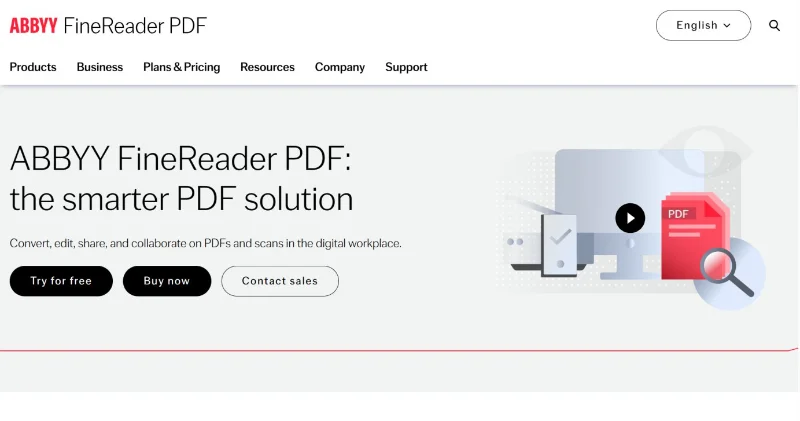
ABBYY FineReader, developed by ABBYY, is widely recognized as a leading OCR and document conversion tool. It’s ideal for users who work extensively with scanned documents and need precise text recognition, making it a top choice for the best PDF editing software for Windows 10 focused on OCR accuracy and professional document workflows.
Key Features
- World-class OCR with multilingual recognition
- Document comparison to detect text differences instantly
- Convert PDFs into fully editable Word/Excel formats
- Reconstruct formatting with high precision
- Automate document capture with scheduled processing
Pricing

Average Rating: ~4.6 / 5 (G2, Capterra, tech review sites)
User Satisfaction: Universally praised for industry-leading OCR accuracy—especially by legal, academic, and archival users. Strong reviews call it the “most accurate OCR tool available.” Some casual users report it can feel overkill if they only need light editing.
Who Should Use ABBYY FineReader
- Researchers, legal teams, or anyone working with scanned PDFs
- Professionals needing highly accurate OCR and document comparison
- Users managing multi-language or archival documents
Who Should Avoid ABBYY FineReader
-
Casual users needing basic editing or light PDF tasks
- Individuals looking for free tools
6. PDF-XChange Editor – Best for Cost-Conscious Users Needing Advanced Features
PDF-XChange Editor, by Tracker Software, is a powerful yet affordable PDF editor. It offers a wide range of features at a lower price than many competitors, making it ideal for those seeking the best PDF editing software for Windows 10 without the high subscription costs.

Key Features
- Deep annotation suite with stamps, shapes, and callouts
- Redaction tools for permanent data removal
- OCR engine for scanned pages (highly praised in Windows forums)
- Lightweight viewing with fast rendering
- Form creation, JavaScript support, and page-level edits
Pricing
- Free version available with basic features
- Lifetime license available, no recurring subscription

Average Rating: ~4.4 / 5 (G2, TrustRadius, Windows forums)
User Satisfaction: Users love its low cost and powerful feature set, especially markup tools and page management. Highly regarded in Windows tech communities for performance. Some reviewers mention the UI feels dated and can overwhelm beginners.
Who Should Use PDF-XChange Editor
- Users wanting advanced PDF features on a budget
- Those preferring a one-time purchase over subscriptions
Who Should Avoid PDF-XChange Editor
- Teams needing cloud-based collaboration tools
- Users who want the most intuitive or modern interface
7. PDFFiller – Best for Online Form Filling & Signature Tasks
PDFFiller, developed by airSlate, is an online-first PDF tool focused on filling forms, collecting signatures, and fast document workflows. It’s especially useful for users who need a cloud-based solution for collaborative PDF tasks, making it a solid option among the best PDF editing software for Windows 10 when online access and form management are priorities.

Key Features
- Online form filling with prebuilt templates
- e-signature workflows for business documents
- Real-time editing and sharing from any browser
- Cloud storage integration (Google Drive, OneDrive, Dropbox)
- Basic PDF editing, annotation, and text adding
Pricing:
Basic ($8/month), Plus ($12/month), and Premium ($15/month) for monthly payments

Average Rating: ~4.2 / 5 (G2, Trustpilot, SaaS review communities)
User Satisfaction: Strong feedback for online form filling, signature workflows, and cloud convenience. Many users say it’s fast and easy for contracts and admin work. Some reviews complain about subscription cost and occasional autosave delays.
Who Should Use PDFFiller
- HR, legal, sales, and administrative professionals handling forms and signatures
- Teams needing cloud-based PDF workflows and cross-device access
- Users prioritizing online collaboration over heavy desktop editing
Who Should Avoid PDFFiller
- Users who frequently need offline or large-file PDF editing
- Professionals needing deep desktop PDF editing and OCR
Part 4. Best 5 Free PDF Editors for Windows 11/10
1. PDFgear – Best for Free & Basic PDF Editing & Quick Conversions
PDFgear , developed by PDFgear Inc., is a lightweight and intuitive PDF editor designed for users who need basic editing, quick conversions, and fast workflow without cost. It’s a strong choice for those searching for the best free PDF editor for Windows 10 to handle everyday tasks efficiently.

Key Features
- Completely free editing for text, images, and links
- AI OCR for converting scanned PDFs
- Instant PDF to Word/Excel/PPT conversions
- Built-in reader with night mode and fast search
- Tools for merge, split, compress, rotate, and watermark
Pricing
- Completely free for basic editing and conversions
- No hidden costs or trial limits
Average Rating: ~4.7–4.8 / 5 (G2, Reddit communities, user reviews)
User Satisfaction: Users consistently praise its free price, clean UI, and fast conversions. Windows 11/10 users say it’s one of the most reliable free editors with good OCR for daily tasks. Some advanced users note limitations with complex PDF layouts.
Who Should Use PDFgear
- Students, freelancers, and casual users who need light PDF edits
- Users wanting fast conversions and basic annotation tools
- Beginners looking for a simple, intuitive interface
Who Should Avoid PDFgear
- Professionals needing advanced OCR or large-scale PDF editing
- Teams requiring cloud-based collaboration or enterprise-level security
2. PDNob Online – Best for Free, Fast, Web-Based PDF Tasks
PDNob Online is a web-based PDF editor designed for speed and convenience. Developed by PDNob, it allows users to perform basic editing, conversions, and annotations directly in the browser. It is an excellent option for anyone looking for the best free PDF editor for Windows 11/10 that doesn’t require installation.

Key Features
- No-install PDF editing, conversion, and compression
- Free web-based OCR and text extraction
- Page tools: merge, split, reorder, rotate
- Fast drag-and-drop interface for productivity
- Safe temporary file handling with auto-deletion
Pricing
- Completely free for all online tasks
- No download required; subscription only applies for optional premium features
Average Rating: ~4.7 / 5 (User reviews, browser tool communities)
User Satisfaction: Highly rated for speed, simplicity, and no-login workflow. Users highlight its clean interface and fast compression, merging, and conversions. Some users note that very large files may process slower than desktop apps—typical of online editors.
Who Should Use PDNob Online
- Users who prefer not to install software
- Students or professionals needing occasional PDF edits from any device
- Teams that value cloud access and online collaboration
Who Should Avoid PDNob Online
- Users handling very large PDFs or complex graphics-heavy files
- Those needing offline access or high-security local editing
- Professionals requiring advanced OCR or batch processing
3. ONLYOFFICE PDF – Best for Collaboration & Office Document Integration
ONLYOFFICE PDF, developed by Ascensio System SIA, is part of the ONLYOFFICE suite and focuses on seamless PDF editing integrated with office productivity tools. It’s an excellent choice for users seeking the best free PDF editor for Windows with collaboration features and compatibility with office documents.

Key Features
- Edit PDFs alongside Word, Excel, and PowerPoint files
- Real-time co-editing for teams and cloud workspaces
- Protect documents with passwords and access roles
- Annotate with highlights, comments, and shapes
- Convert PDFs into DOCX for advanced editing
Pricing
- Free version available for basic editing and collaboration
- Paid plans unlock advanced features and larger storage

Average Rating: ~4.4 / 5 (G2, Linux/Windows communities, tech sites)
User Satisfaction: Users appreciate its strong collaboration features and integration with office documents. Highly praised among Windows and Linux professionals using shared workspaces. Some users say its PDF editing tools are improving but not as deep as dedicated editors.
Who Should Use ONLYOFFICE PDF
- Teams needing online collaboration on PDFs
- Users working heavily with office documents
- Small businesses or educational institutions needing free PDF editing with cloud access
Who Should Avoid ONLYOFFICE PDF
- Users requiring powerful desktop editing offline
- Professionals needing advanced OCR or high-volume PDF processing
4. LibreOffice Draw – Best for Open-Source Users & Occasional PDF Editing
LibreOffice Draw is part of the open-source LibreOffice suite, providing a free, cross-platform PDF editing solution. It’s a strong contender for users seeking the best free PDF editor for Windows who prefer open-source tools for occasional PDF modifications and office document handling.

Key Features
- Vector-style editing ideal for layouts, diagrams, and forms
- Modify text, images, and page elements in imported PDFs
- Export to multiple formats (PDF/A, EPUB, images)
- Layer-based design useful for detailed document work
- Fully free, cross-platform, and community supported
Pricing
- Completely free and open-source
- No hidden fees or paid upgrades
Average Rating: ~4.3 / 5 (Capterra, open-source communities)
User Satisfaction: Open-source users and students like its free price and reliable basic editing. Many praise Draw for text adjustments and vector-like editing precision. Some reviewers note it can distort complex layouts or embedded fonts.
Who Should Use LibreOffice Draw
- Open-source enthusiasts and Linux/Windows users
- Users looking for a completely free, no-subscription tool
Who Should Avoid LibreOffice Draw
- Professionals requiring advanced OCR or frequent PDF workflow
- Users needing a highly intuitive or modern interface
5. PDF24 Creator – Best for Free Desktop PDF Tools & Simple Page Management
PDF24 Creator, developed by Geek Software, is a reliable free desktop PDF editor for Windows. It focuses on simplicity, page management, and essential PDF editing, making it one of the top picks for users searching for the best free PDF editor for Windows 11 for offline tasks.

Key Features
- Merge, split, extract, and compress PDFs instantly
- Desktop creator for printing any file to PDF
- Screenshot-to-PDF and image-to-PDF generation
- Simple annotation, watermarking, and page tweaks
- 100% free, lightweight, and offline for privacy-sensitive tasks
Pricing
- Completely free for personal and professional use
- No subscription or paid plans required
Average Rating: ~4.6 / 5 (Windows forums, Capterra, tech blogs)
User Satisfaction: Users love its 100% free model, lightweight performance, and dependable tools for merging, compressing, and page management. Highly recommended on Windows forums for quick offline tasks. Some users wish it had more advanced editing features.
Who Should Use PDF24 Creator
- Users needing offline PDF editing and simple page management
- Students, home users, and small offices on a budget
- Anyone preferring free, lightweight desktop software without online dependencies
Who Should Avoid PDF24 Creator
- Professionals requiring advanced editing, OCR, or e-signature features
- Teams needing cloud collaboration or real-time online editing
- Users handling very large or graphics-heavy PDF files
Part 5. FAQs About PDF Editor for Windows 11/10
1. Does Windows 11 come with a built-in PDF editor?
Windows 11 includes Microsoft Edge, which can open PDFs and perform very basic tasks like highlighting, drawing, and adding comments.
However, it does not offer full PDF editing such as text modification, OCR, page management, or advanced conversion. For real editing, you need a dedicated PDF editor such as PDNob PDF Editor, Adobe Acrobat, Foxit, or PDF-XChange.
2. What is the recommended PDF reader and editor for Windows 11?
It depends on your needs:
- Best all-around professional tool: Adobe Acrobat
- Lightweight and affordable editor: PDNob PDF Editor
- Fast business-grade alternative: Foxit PDF Editor
- Best for scanned PDFs: ABBYY FineReader
- Free everyday option: PDFgear or PDF24 Creator
3. Are there any completely free PDF editors for Windows?
Yes. Top free options include PDFgear, PDNob Online, LibreOffice Draw, ONLYOFFICE PDF, and PDF24 Creator, great choices for the best free PDF editor for Windows 11/10.
4. Is Adobe Acrobat Pro a good PDF editor for Windows?
Yes. Adobe Acrobat Pro offers advanced editing, OCR, secure document handling, and cloud collaboration, making it one of the most reliable best PDF editing software for Windows.
Conclusion:
After testing the 12 Best PDF Editors for Windows 11/10, it’s clear that the right tool depends on your needs. Adobe Acrobat and Nitro PDF excel for enterprise workflows and secure collaboration. PDNob PDF Editor balances advanced PDF features and affordability. Free options like PDFgear, PDNob Online, and PDF24 Creator handle basic edits and conversions efficiently.
Windows 11/10 users can confidently choose a PDF editor that fits their workflow, file complexity, and budget, ensuring both productivity and reliability.



- Make scanned PDFs searchable and editable with 99% OCR precision
- Batch convert PDFs to Word, Excel, PPT, images, PDF/A, Text, EPUB, etc., up to 30% faster
- Edit PDFs easily like Word, including text, images, watermarks, links, and backgrounds
- Annotate PDF with highlights, comments, shapes, stickers, and stamps
- Run smoothly on any PC without lags or crashes, even on low-spec machines
 Secure Download
Secure Download
Speak Your Mind
then write your review
Speak Your Mind
Leave a Comment
Create your review for PDNob articles

Related articles

Software Reviewer and Comparison Analyst
Maya Patel has reviewed over a hundred softwares across writing, design, productivity, and AI categories, and her comparison articles are designed to give readers a clear winner within the first three paragraphs in past 3 years.


