

PDNob Online is currently available only on Windows and Mac desktop computers. Please switch to a desktop browser to use our features.
Founded in 2007, Tenorshare PDNob is trusted by millions to simplify work.


2,068,190 files have been successfully converted for free.
Get PDNob Desktop, Your All-in-One PDF Solution!
Follow these simple steps to convert PDF to Hindi text:
Upload your Hindi PDF file to the converter using the button above or by dragging it into the upload area.
Choose to convert your Hindi PDF to editable text directly, or use OCR to extract Hindi text from scanned or image-based PDFs.
Download the output text file to your device and save or edit it as needed.
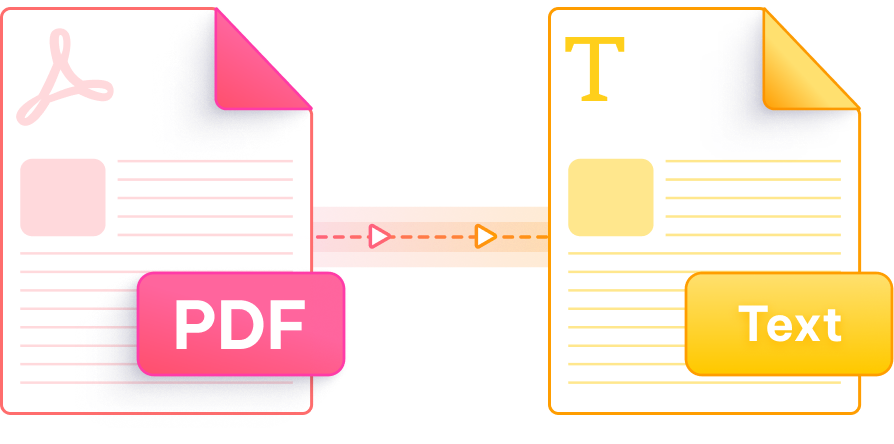
PDNob is purpose-built to handle Hindi script accurately, delivering clean, editable output from any PDF — digital or scanned.

Powered by advanced OCR technology that accurately recognises Devanagari script, matras, conjunct characters, and complex Hindi typography in any PDF document.

Convert PDF to Hindi text directly in your browser without creating an account or paying any fee. Just upload and get results instantly.

All uploaded files are encrypted via 256-bit SSL during transfer and automatically removed from our servers after processing. Your Hindi documents stay private.

Our cloud engine processes Hindi PDFs in seconds regardless of page count, so you spend less time waiting and more time working with your extracted text.

Whether your Hindi PDF is a scanned book, government form, or photographed document, PDNob's OCR intelligently detects and extracts the Hindi text within.

Access the PDF to Hindi text converter from Windows, Mac, or mobile without installing any software. It runs entirely online via your browser.
The PDNob desktop app goes beyond online conversion — edit Hindi and multilingual PDFs directly, run AI-powered OCR on complex layouts, add annotations, and manage documents entirely offline. Perfect for students, translators, and professionals working with Hindi content.

Yes. PDNob's OCR engine is specifically trained to recognise Devanagari script, so it can extract Hindi text from scanned books, printed forms, or image-based PDFs that other tools typically fail on. Just upload your scanned Hindi PDF and select the OCR option before converting.
Yes. PDNob handles PDFs that contain both Hindi (Devanagari) and English text in the same document. The converter detects each script independently and produces an output text file that preserves both language sections accurately.
PDNob's online converter works directly in mobile browsers on Android and iOS. Open the PDNob PDF to Hindi Text page, tap "Choose File," select your PDF from your phone storage, and download the extracted text once processing is complete — no app installation required.
This usually happens when a PDF uses embedded images instead of actual text, or when the font encoding is non-standard. Using the OCR mode in PDNob resolves this for image-based files. For encoding issues in digital PDFs, PDNob's parser normalises the character mapping to produce clean Devanagari output.
PDNob offers free conversions online with no account required. For users who need advanced features such as desktop processing, offline use, or additional PDF editing tools, paid upgrade options are also available.
Yes. Many Indian government documents, gazette notifications, and official circulars are published as scanned PDFs. PDNob's Hindi OCR is well-suited for these document types, accurately recognising standard Devanagari fonts commonly used in official publishing.
In Adobe Acrobat Pro, open your Hindi PDF, go to Scan & OCR, select Recognize Text, and export as a text file. Note that Acrobat's Hindi OCR accuracy varies by font; PDNob provides a free alternative that handles Devanagari fonts more consistently without requiring a paid subscription.
Yes. Libraries like pdfplumber or PyMuPDF can extract text from digital Hindi PDFs via Python. For scanned Hindi documents, combining pdf2image with Tesseract OCR (with the Hindi language pack installed) is a common approach, though PDNob offers a simpler no-code alternative with better out-of-the-box Hindi accuracy.
Edit, merge, sign, and convert PDFs effortlessly.
 PDNob PDF
750,796,000 Users

PDF Leaders
Since 2007
10M+ Docs
Protected Daily
ISO
Certified Tools
Your Files
Never Stored