

PDNob Online is currently available only on Windows and Mac desktop computers. Please switch to a desktop browser to use our features.
Founded in 2007, Tenorshare PDNob is trusted by millions to simplify work.


1,285,963 files have been successfully compressed for free.
Get PDNob Desktop, Your All-in-One PDF Solution!
Just 3 steps to resize your PDF to 250KB or smaller:
Click the "Choose Files" button or drag your PDF into the drop zone.
Click the "Compress" button to start resizing your PDF to 250KB.
Download and save your resized PDF file.
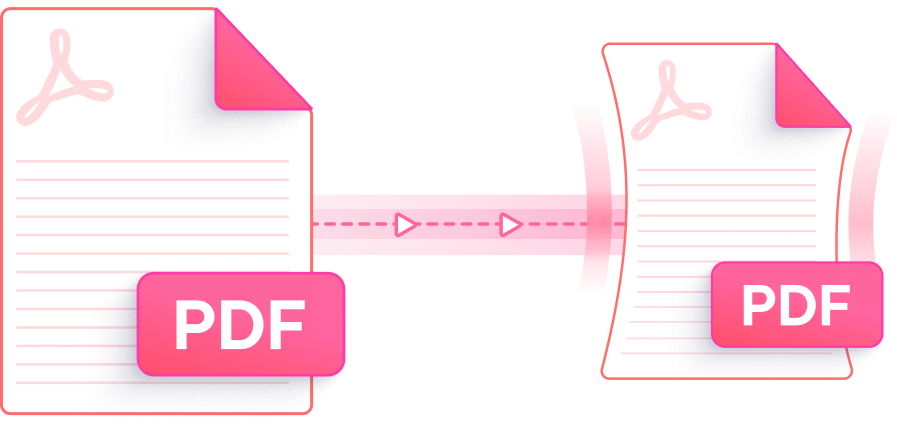
An intelligent online tool that reduces your PDF to 250KB with multiple compression levels — fast, secure, and free.

Advanced compression engine trims file size to 250KB or below while keeping fonts legible, layouts intact, and visuals sharp. What you see stays what you get.

Select the compression intensity that fits your needs. Switch to the High Compression setting when you need to resize PDF file size to 250KB online with maximum size reduction.

Resize PDF file size to 250KB online at zero cost. Upload your document, compress it, and grab the result — no account creation, no watermarks, no surprises.

Resize PDF file size to 250KB online directly from Chrome, Firefox, Safari, or Edge on Windows or Mac. No software setup, no plugins — just open and compress.

SSL-encrypted transfers protect your files during upload and processing. Every document is automatically purged from our servers after compression — your data never lingers.

A streamlined interface guides you from upload to download in seconds. Whether you're a first-time user or a seasoned professional, resizing PDF to 250KB has never felt this effortless.
This AI-powered PDF editor goes far beyond compression — edit text, annotate pages, convert formats, run OCR scanning, and manage documents all in one place. Built for students, professionals, and power users.

Yes. PDNob's online PDF compressor lets you resize PDF file size to 250KB online or smaller directly in your browser — no software download required. Just upload your file, select a compression level, click Compress, and download the result. The free version supports files up to 15MB and works on Windows and Mac desktops.
For most PDFs, the visual difference is minimal. PDNob's compression engine processes images and embedded objects independently, so text sharpness and page layout are preserved even when you reduce PDF file size to 250KB. Documents with very high-resolution photos may see slight image softening, but readability is always maintained.
On a Mac, the quickest route is to open PDNob's online tool in Safari or Chrome and upload your file — no installation needed. Alternatively, you can open your PDF in Preview, choose File > Export, and apply the Reduce File Size Quartz filter, though PDNob gives you finer control over the compression level and final output size.
Adobe Acrobat's compression tools (File > Save As Other > Reduced Size PDF) require an active paid subscription for full access. If you need a free alternative, PDNob Online lets you resize PDF file size to 250KB online at no cost, with results comparable to Acrobat's standard compression — and no subscription required.
PDFs with embedded high-resolution images, multiple fonts, or complex vector artwork can be harder to compress in a single pass. Try switching to the High Compression level in PDNob Online for a more aggressive reduction. If the file exceeds 15MB or needs batch processing, PDNob Desktop handles files of any size locally with no upload limit.
The free online version of PDNob supports files up to 15MB per upload. For heavier documents or workflows that require batch compression of multiple PDFs at once, upgrading to PDNob Online's paid plan unlocks larger file support (up to 100MB) and batch processing. PDNob Desktop removes file size restrictions entirely by processing files locally on your computer.
Edit, merge, sign, and convert PDFs effortlessly.
 PDNob PDF
750,796,000 Users

PDF Leaders
Since 2007
10M+ Docs
Protected Daily
ISO
Certified Tools
Your Files
Never Stored