
 Home
>
PDF Tips
>
Google Scholar Alternative 2026: 10 Databases Researchers Actually Use
Home
>
PDF Tips
>
Google Scholar Alternative 2026: 10 Databases Researchers Actually Use
Google Scholar Alternative 2026: 10 Databases Researchers Actually Use
- 1 My free stack of alternatives: Semantic Scholar + OpenAlex + CORE. Discovery, data, free PDFs — all three covered.
- 2 For numbers an HR committee will accept, Scopus and Web of Science are still what universities want. I pay for access when I need defensible citation work.
- 3 Subject-specific picks by discipline: PubMed (biomed), arXiv (preprints), JSTOR (humanities). For cross-domain work, Dimensions and The Lens cover grants, patents, and trials.
- 4 AI layers I'd actually keep: Elicit, Consensus, ResearchRabbit, Connected Papers. They cut my lit review time more than any database swap.
- 5 For scanned or foreign-language papers, PDNob is what I open. OCR + AI translation, side-by-side compare, handles the 500-page monographs.
Google Scholar is the obvious starting point — 400 million documents, free access, "Cited by" links, and strong grey-literature coverage. But for systematic review and bibliometrics, its limits quickly surface: opaque sources, a black-box ranking algorithm, no public API, and a 1,000-result cap per query.
This guide breaks down 10+ Google Scholar alternatives across free, paid, and subject-specific sites, plus AI-powered research platforms for the heavy lifting. You'll learn how to pair them with a paid database and an open dataset, and finish with a quick PDNob walkthrough for reading and translating the papers you find.

Part 1. Google Scholar Alternatives at a Glance
Below is the comparison table I keep on my second monitor for fast shortlisting — basically a one-screen view of all the websites like Google Scholar I'm about to walk you through.
 Please swipe to view
I don't rank these tools on a single dimension. Each one wins on its own axis. The rest of the article walks through them by use case.
Part 2. 3 Free (or Mostly-Free) Google Scholar Alternatives Worth Bookmarking
If I had to pick three free tools, I'd start here.
Semantic Scholar — My Default Free Google Scholar Alternative
Semantic Scholar has been my default alternative since the Allen Institute shipped it free. 200M+ papers indexed, automatic TL;DR on every entry, citations ranked by influence instead of raw count, and a citation graph I can actually use to branch into related work.

Coverage: About 200 million papers. Strong in STEM (CS, bio, physics, engineering). Growing in biomed. The dense coverage starts around 1900 and runs to today.
What I prefer it over Google Scholar: TL;DRs save me hours when I scan a long list. The citation graph helps me branch out fast. The free API is solid for light automation. And the UI is cleaner than Scholar's cluttered results.
Unique edge: No other free tool auto-generates paper summaries at this scale. If I read 50 papers a week, this feature alone pays off.
Where it falls short: Metadata can be messy on less-cited papers. Humanities coverage is thinner than Google Scholar. If you work in history or philosophy, you may miss things.
Best for: Students and AI/ML researchers. The TL;DRs help a lot when you're scanning a long reading list.
Not great for: Deep humanities work — Scholar is broader there.
OpenAlex --- The Open-Data Alternative to Google Scholar
OpenAlex is the open-data alternative I reach for when I want the raw graph. 260M+ works, authors, concepts, and citations, all under CC0, all downloadable in bulk, with a free API. It picked up where Microsoft's retired academic graph left off.

Coverage: 260M+ works (some counts go up to 474M+). Records stretch back to 1665, with 2M+ pre-1900 works. Non-English coverage is wider than WoS or Scopus.
What I prefer it over Google Scholar: Fully open. Free API. Great for bibliometrics, network analysis, and offline workflows. Multilingual metadata is solid.
Unique edge: Everything OpenAlex ships is CC0 — works, authors, citations, all of it. If you're building a research product, mining citations, or doing SEO/content research, you won't find anything else this open.
Where it falls short: The web UI is functional but rough. Affiliation data has gaps. Duplicates slip through. There's no equivalent of "highly influential citations."
Best for: Data-savvy researchers and bibliometricians. SEO/content teams use it too.
Not great for: Casual users who just want a clean web search. The UI is rough.

OpenAlex can be partnered with CORE for free PDFs and Semantic Scholar for related papers. Skip if you only do casual browsing or the API is overkill for one-off searches.
CORE — My Free Google Scholar Alternative for Open-Access PDFs
CORE is the alternative I'd send you to. It pulls 300M+ OA papers, theses, and reports from repositories worldwide, and gives you the PDF straight on the results page — no publisher wall, no extra click.

Coverage: Around 300--400M OA documents. Global. Pulls from institutional repositories, OA journals, and preprints.
What I prefer it over Google Scholar: PDFs are on the results page. No publisher-wall detour. Repository filters help me find the post-print version. It's the biggest OA aggregator out there.
Unique edge: CORE aggregates 300M+ open-access records and attempts to surface a direct PDF on each result, often via third-party repositories or institutional IRs (not always the publisher's file). It won't find paywalled papers, but for OA full text it's the closest thing to a one-stop shop.
Where it falls short: OA-only — closed-access papers won't show up. Quality varies (preprints mixed with publisher PDFs). You sometimes have to check which version you got.
Best for: Students on a budget, anyone after a free PDF. Open-science projects live here.
Not great for: Researchers hunting non-OA journal content — CORE indexes open access only, so paywalled papers slip through.
CORE can be paired with Semantic Scholar for discovery and OpenAlex for metadata. Skip CORE if your library already has Scopus/WoS — you don't need it for papers you can already download.
Part 3. Alternatives to Google Scholar for Citation Analysis & Research Evaluation
For daily discovery, the free tools are enough. But when I need citation metrics — h-index, journal impact, institutional rankings — I pay for the pros. These are the alternatives to Google Scholar that universities and governments accept.
Scopus — My Go-To for Bibliometrics
When I need citation numbers an HR committee will accept, I open Scopus. Elsevier's curated database, 90M+ records from 7,000+ vetted publishers across 330 disciplines, with h-index, CiteScore, author profiles, and institutional rankings all built in. It's the paid Google Scholar alternative most universities and government evaluators treat as standard.

Coverage: 90M+ records. Cited references back to 1970. Source coverage from 1788. Global. About 20% non-English.
What I prefer it over Google Scholar: Curated journal list. Author disambiguation is solid ("Wei Zhang" is not all one person). Native h-index, CiteScore, and institutional benchmarking. It's the standard in most of Europe and Asia.
Unique edge: Scopus is the citation database HR committees already trust. Institutional rankings and author-level h-index are built in, not bolted on.
Where it falls short: Expensive — institutional subscriptions run thousands per year. Coverage is smaller than Scholar. Grey literature and non-indexed conferences often miss. No public API on standard tier.
Best for: PhD lit reviews and research offices. Anywhere citation trails need to be defensible.
Not great for: Individual users without a subscribing library. It's expensive.
Web of Science --- When I Need the Most Selective Index
Web of Science (WoS) is a selective, paid citation index from Clarivate that curates 90M+ records across rigorously vetted journals in its Core Collection. It is the source of authoritative research-evaluation metrics, Impact Factor, Journal Citation Reports (JCR), and InCites benchmarks — used in formal tenure and ranking decisions.

Coverage: 90M+ records. Usually 1945 onward (1900+ add-on available). Global. About 4% non-English in the Core Collection (19% in the broader ESCI).
What I prefer it over Google Scholar: Strict journal selection. Trusted impact metrics. Historical citation data goes deep. Author and institution unification is solid.
Unique edge: Impact Factor, JCR, and InCites all come from WoS (Clarivate). Scopus carries its own impact suite (CiteScore, SJR, SNIP) through Elsevier — the two don't share a single metric. Pick WoS when JIF or JCR is the specific requirement; pick Scopus when CiteScore or institutional benchmarking is.
Where it falls short: Smaller than Google Scholar for non-journal material. Also expensive. Needs an institutional sub.
Best for: Publishing decisions, tenure cases, anywhere impact factor matters.
Not great for: Individual users without a subscribing library — institutional access only, and pricier than Scopus. Cross-disciplinary scanning is also weaker; grey literature is thinner than on Scholar.
I use WoS for journal-quality filtering and Scopus for broader coverage — they complement each other, and I don't pick one.
Part 4. Subject-Specific Google Scholar Alternatives by Discipline
When the work is domain-specific, a generalist engine is rarely enough. PubMed, arXiv, and JSTOR each own a slice of the academic world that Scholar covers thinly.
PubMed — Where I Start for Biomed
Biomed starts at PubMed. The U.S. National Library of Medicine runs it, 35M+ citations from 5,000+ journals, MeSH controlled vocabulary for the precision keyword engines can't touch, plus Clinical Queries and an E-utilities API that systematic reviewers live in. It's not really a Scholar alternative in biomedical area in the swap-it-out sense — it's the default.

Coverage: 35M+ citations. Records back to 1948 (some older). Papers often appear within days of acceptance.
What I prefer it over Google Scholar: MeSH controlled vocabulary. I can build precise searches that keyword engines can't touch. The Clinical Queries filter is built for evidence-based medicine. The E-utilities API is great for systematic review. Free full text is increasingly available via PMC.
Unique edge: MeSH controlled vocabulary is what gives PubMed its precision. Clinical Queries is the filter for evidence-based medicine. Together, they pull medical queries tight in a way Google Scholar's keyword engine can't.
Where it falls short: Mostly abstracts only. Domain-specific — useless for humanities, business, or most engineering.
Best for: Anyone in medicine, biology, or clinical research.
Not great for: Humanities, business, or engineering — it's biomed only.
arXiv — Where Preprints Live
arXiv is where the preprints live, run by Cornell, free, no registration, 2M+ papers in physics, math, CS, stats, and AI/ML. For AI/ML, the preprint often *is* the publication. If you need Scholar-level speed over peer review, arXiv is it.

Coverage: 2M+ preprints since 1991. Heavy in physics, math, CS, statistics, and AI.
What I prefer it over Google Scholar: Speed. A paper lands on arXiv weeks or months before the journal. Versioning (v1, v2, v3) makes the editorial history clear. Free download, no registration. For me, it's the best search engine for research paper when unfiltered speed is the priority.
Unique edge: Physics, math, and CS researchers see results on arXiv months before journal publication. Scholar indexes preprints, sure, but it doesn't surface them as a primary category the way arXiv does.
Where it falls short: Not peer-reviewed or quality varies. Versioning can confuse: an old v1 PDF lingers after v3 replaces it. Outside its core subjects, coverage is thin.
Best for: AI/ML, physics, math, and stats researchers who want preprints weeks-to-months before the journal version. Use it for speed, not for citation counts.
Not great for: Medicine, social science, humanities, or any field where peer review is non-negotiable. arXiv is not a substitute for Scopus or WoS in defensible citation work.
arXiv is fast but unchecked, so I pair it with Semantic Scholar for citation context and Google Scholar to verify journal publication.
JSTOR — Where I Go for Humanities Depth
For humanities depth, JSTOR is the alternative I'd actually send a historian to. 12M+ items (100M+ pages), stable page-image archives, journals going back to the 1600s. U.S. content published before 1924 is freely accessible.

Coverage: 12M+ items (100M+ pages). Journals, books, primary sources. US-published material from before 1924 is freely accessible.
What I prefer it over Google Scholar: Stable page-image archives. Long back-runs of journals no one else preserves well. The pre-1924 free US content is a goldmine for historians.
Unique edge: US content published before 1924 sits on JSTOR, open to anyone. Google Scholar lists the records, but the path to the actual file is unstable. For historians, that's the difference.
Where it falls short: Embargoes, recent journal content is often missing. The full archive is paywalled. Search is metadata-driven, not forgiving for typos.
Best for: Humanities and social sciences. Anything archival, anything historical.
Not great for: Finding the very latest papers — embargoes get in the way.
You can pair JSTOR with Google Scholar for recent work and BASE for European humanities repositories.
When colleagues ask me "What research tool do you use to find scholarship in the humanities?" — the honest answer for archival depth is JSTOR, plus Google Scholar for current work.
Part 5. Cross-Domain Research Graphs & Patent-Linked Search
Beyond subject silos, a few platforms connect papers to the wider research world: grants, patents, clinical trials, policy docs. These tools are aimed at research offices, tech-transfer teams, R&D due-diligence workflows, and innovation researchers — not casual students.
Dimensions — When I Need the Full Research Graph
Google Scholar sees a paper as a paper. Dimensions sees a paper as a node — linked to the grant that funded it, the patent it inspired, the trial it influenced, the policy doc that cited it. 100M+ publications, freemium, my pick for trend analysis and grant hunting.

Coverage: 100M+ publications. Records back to 1665. Multidisciplinary. Free tier is generous. Paid plans unlock deeper analytics.
What I prefer it over Google Scholar: Links papers to grants, patents, clinical trials, datasets, policy docs. Altmetrics built in. The free tier covers most early-career needs.
Unique edge: Papers, grants, patents, and clinical trials — all linked on the same graph. Patent coverage here is lighter than The Lens (a few major jurisdictions, not 95+), and clinical-trial records are pulled from registries like ClinicalTrials.gov. What Dimensions actually wins on is the grants↔papers link: if you're mapping who funded what, this is the only mainstream tool that ties the chain together.
Where it falls short: Advanced analytics live behind a paid tier. The UI is denser than Scholar — steeper learning curve.
Best for: Research trend analysis and grant hunting. Industry research too.
Not great for: Pure paper-only searchers who don't need the grants/patents/trials layer — the extra graph is noise without a use case for it.
The Lens --- When Patents Meet Scholarship
The Lens is a free scholarly + patent search engine that cross-indexes 200M+ scholarly records with patent data from 95+ jurisdictions worldwide. It is one of the few mainstream platforms where academic literature and patent documents are searched, cited, and analyzed side by side, a natural fit for tech-transfer and innovation research.

Coverage: 200M+ scholarly records plus patent data from 95+ jurisdictions. Historical to current.
What I prefer it over Google Scholar: Unified academic + patent search. Cross-citation between the two worlds. Open analytics, free tier. Strong for tech-transfer and innovation research.
Unique edge: 95+ patent jurisdictions sitting on the same index as the scholarly literature. For tech-transfer offices, R&D teams, and innovation researchers, this is the whole reason to use The Lens.
Where it falls short: Patent classification isn't always intuitive. The UI skews toward power users — casual searchers may bounce off.
Best for: Tech transfer and R&D due diligence. Innovation research teams.
Not great for: Pure academic search where patents don't matter — Semantic Scholar is smoother.
The Lens can be paired with Dimensions for grant landscape and OpenAlex for bulk data. If I just need academic search without patents, Semantic Scholar is smoother. (For OA-only scholarly search, the BASE search engine (Bielefeld Academic Search Engine) is a close free alternative.
Part 6. Any Good Alternatives to Google Scholar? A Decision Framework
Yes — and the right pick depends on who you are. Here's the 5-dimension framework I use to navigate the academic websites world.
Dimension 1 --- Budget:- Free path: Semantic Scholar + OpenAlex + CORE.
- Paid path: Scopus and/or WoS via your institution.
- Hybrid: free discovery + institutional full text.
- STEM → Semantic Scholar or OpenAlex.
- Biomed → PubMed (and Embase/Cochrane if you have access).
- CS/engineering → arXiv + IEEE Xplore + ACM Digital Library.
- Humanities → JSTOR + BASE.
- Regional → SciELO, DOAJ, CNKI.
- Quick scanning → Semantic Scholar.
- Free PDFs → CORE.
- Citation analysis → Scopus or WoS.
- Open data → OpenAlex.
- AI-assisted lit review → Elicit or Consensus on top.
- Global English → most tools.
- Non-English regional → SciELO (Latin America, Iberia, South Africa), CNKI (China), BASE (Europe).
- Historical depth → JSTOR (pre-1924 US) or OpenAlex (back to 1665).
- Very recent → arXiv or Dimensions.
- Web UI only → Semantic Scholar, CORE, PubMed.
- API access → OpenAlex, Semantic Scholar, PubMed E-utilities.
- Full bulk datasets → OpenAlex (CC0).
My Quick-Reference Cheat Sheet
Please swipe to view
For a typical student search starting from scratch, I'd go: Semantic Scholar for discovery, CORE for free PDFs, and OpenAlex when I need the data. That combination is the closest free stack to Google Scholar — and the closest free alternative you'll find without hitting a paywall.
Part 7. Reading & Translating Your Papers: A Quick PDNob Guide
Reading the paper is the other half, and the file shouldn't be what slows you down. For that I personally pick PDNob as my first choice to read PDF papers.
PDNob is a lightweight AI-powered PDF reader and editor for Windows and Mac, built for students and solo researchers dealing with scanned PDFs, foreign-language papers, and 300--500 page systematic reviews. Its standout features are accurate OCR, AI translation across 100+ languages, and a new side-by-side compare-and-translate mode. That makes it an ideal choice for students and solo researchers who deal with scanned PDFs and foreign-language papers.

Core Features:
-
OCR (top strength) — Turns scanned PDFs into searchable, selectable, copy-pasteable text
-
AI translation: Full-document translation across 100+ languages
-
PDF compare-and-translate (new): Side-by-side bilingual view for reading foreign-language papers
-
Large-file handling — Opens 300--500 page systematic reviews and monographs quickly, no lag
-
Annotation & export: Highlight, margin notes, export to Word or TXT for literature notes




How I Read & Translate a PDF with PDNob
-
Download and install PDNob from the official site. The installer is small, setup takes a couple of minutes. Drag and drop, or open from the file menu. Even large files (300+ pages) open fast.
-
Open the PDF and let PDNob index it.
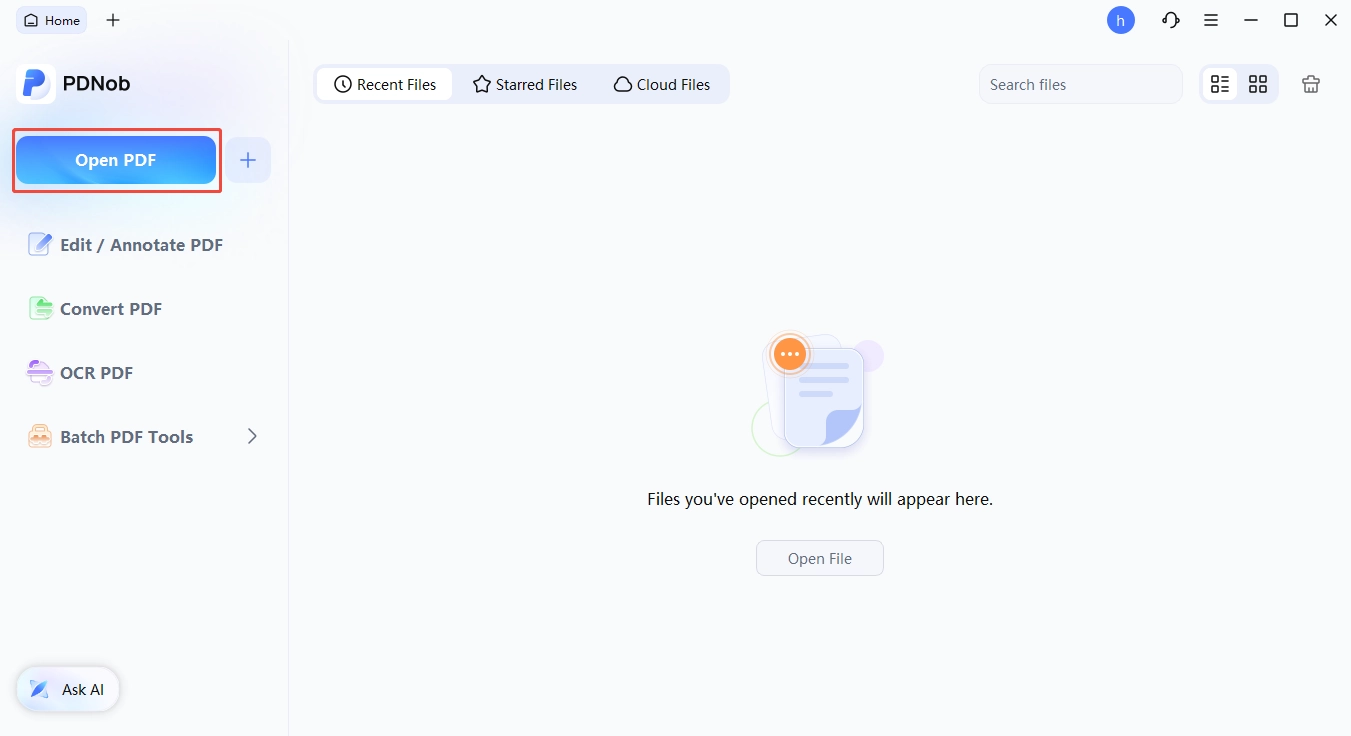
Launch PDNob PDF Editor → click "Open File."
-
Run OCR on scanned PDFs. Click the OCR button. PDNob turns page images into searchable, selectable, copy-pasteable text. This is the feature that won me over.
-
Translate the full document. Use the built-in AI translation. PDNob supports 100+ languages, including the long tail of regional academic ones.
-
Annotate and export. Highlight, add margin notes, export as Word or plain text for my lit notes.


Part 8. The 2026 Discovery Layer: AI Tools & Citation Network Visualization
The newest wave isn't a replacement for Google Scholar. These tools are AI layers that sit on top of existing databases (mostly Semantic Scholar and OpenAlex). They don't build their own paper corpora. If you've been searching for websites like Google Scholar with built-in summarization, this is the closest you'll get.
I think of these tools as workflow accelerators. Once I have a candidate paper from Semantic Scholar, an AI tool can summarize 50 of them, build a comparison table, visualize the citation network, or answer a research question in plain English.
Elicit — My AI Literature Review Assistant
Elicit is the AI literature review assistant I'd hand to a grad student. Ask a question in plain English, get back a table of relevant studies with sample size, method, and key findings auto-extracted from each paper. Free tier covers small projects, paid tiers handle systematic reviews.
Consensus — When I Want a ChatGPT-Style Answer With Citations
Want a ChatGPT-style answer with citations? Consensus gives you a yes / no / maybe verdict, a consensus meter, and links to the actual papers. Built on the Semantic Scholar corpus. The Google Scholar alternative for when you'd rather ask a question than craft a query.
ResearchRabbit --- When I Want to See the Citation Network
ResearchRabbit turns a single paper or author into a visual citation network. Free, with collections you can save and share. The pick for browsing related work via graph instead of keyword.
Connected Papers — My Quick Map of a New Field
Connected Papers is similar to ResearchRabbit but lighter. Drop in one paper, get a graph of related work organized by topical similarity. My go-to when I'm dropped into a new field and need to orient fast.
How I layer them: My common 2026 stack: Semantic Scholar (search) → Elicit (auto-extract a review table) → ResearchRabbit (branch into related work) → PDNob (read and translate the keepers). The AI tools don't replace the database — they speed up the work that used to live in a spreadsheet.
Where I skip them: If I just need a quick fact ("What is the boiling point of ...?"), the AI layer is overkill. The classical tools are still faster.
Part 9. Final Thoughts
No single "best" alternative exists. It depends on your field, your budget, and what happens after you find the paper. The 10+ tools in this guide aren't fighting for one bookmark slot. They're a stack.
Stop treating your workflow as a single search bar. Build the stack that fits how you actually read papers.
Part 10. Frequently Asked Questions on Google Scholar Alternatives
Q1. Is Google Scholar still worth using in 2026?
A1: Yes. Scholar remains the broadest free discovery engine, with the best grey-literature coverage and the deepest "Cited by" graph. For casual search, it's still my starting point. For systematic review, citation metrics, or automation, though, the alternatives to Google Scholar in this guide do the job better.
Q2. What's the closest free Google Scholar alternative?
A2: Semantic Scholar is the closest single replacement, clean UI, AI summaries, citation graphs, free API. For PDFs, I add CORE. For data, I add OpenAlex. The three together cover most of what Scholar does, with the bonus of being open and scriptable.
Q3. Can I do a systematic review without Scopus or Web of Science?
A3: Partially, yes. Semantic Scholar + OpenAlex + PubMed + arXiv covers most of the surface. For a Cochrane-grade review where reproducibility and citation rigor are scrutinized, though, Scopus, WoS, Embase, and the Cochrane Library remain the defensible choice. Many reviewers use free tools for discovery, then verify the citation trail in Scopus or WoS.
Q4. Is PDNob really affordable for students?
A4: Yes. PDNob offers a free trial plus student-friendly pricing, and the full feature set (OCR, AI translation, compare-translate) is included. For a student who reads 5+ foreign-language or scanned papers a week, the time saved pays for the license fast.



- Make scanned PDFs searchable and editable with 99% OCR precision
- Batch convert PDFs to Word, Excel, PPT, images, PDF/A, Text, EPUB, etc., up to 30% faster
- Edit PDFs easily like Word, including text, images, watermarks, links, and backgrounds
- Annotate PDF with highlights, comments, shapes, stickers, and stamps
- Run smoothly on any PC without lags or crashes, even on low-spec machines
 Secure Download
Secure Download
Speak Your Mind
then write your review
Speak Your Mind
Leave a Comment
Create your review for PDNob articles

Related articles

AI Tools Writer / Workflow Analyst
Rachel has spent the last 5 years testing and writing about AI-powered tools across writing, design, and research workflows. She focuses on practical AI tool usage, helping knowledge workers turn generative AI into everyday productivity.


