
 Home
>
PDF Tips
>
11 Legal Websites to Download PDF Books for Free in 2026 (Tested + Categorized)
Home
>
PDF Tips
>
11 Legal Websites to Download PDF Books for Free in 2026 (Tested + Categorized)
11 Legal Websites to Download PDF Books for Free in 2026 (Tested + Categorized)
- 1 Authorization status is the first filter --- Split sites into fully authorized (every file cleared) versus DMCA-compliant (takedowns processed, content depends on uploads) --- and treat the latter as discovery only.
- 2 Match the site to your use case --- Public-domain classics (Gutenberg, Open Library, Standard Ebooks), academic papers (arXiv, PMC, DOAJ, JSTOR OA), textbooks (OpenStax, Open Textbook Library), and discovery (ManyBooks) each serve different needs.
- 3 Most public-domain libraries need no account --- Gutenberg, arXiv, PMC, DOAJ, OpenStax, and Open Textbook Library all allow free download without sign-up; only Open Library and JSTOR OA require one, and only for in-copyright lending.
- 4 A downloaded PDF isn't readable until it's searchable --- Old scans need OCR, foreign-language books need translation, and group files need cloud sharing.
- 5 PDNob PDF Editor covers all three in one app --- Its free tier (V2.1.1) handles OCR plus bilingual view, so you can read, translate, and share without switching tools.
Legal websites to download PDF books for free are platforms offering public-domain or openly licensed books in PDF at no cost. Ebook prices keep climbing. Students keep hunting for free peer-reviewed papers. The trouble is that not every "free PDF" site is what it claims to be. Some host copyrighted material without permission. Some carry aggressive ads that lead to malware. A few disappear overnight. Before I wrote this list, I spent two weekends reading copyright policies, checking each site's website operator, and confirming which downloads are actually authorized.
Below are eleven legal websites to download PDF books I trust. I grouped them by use case, with a clear note on website operator and authorization status so you always know whether a download is fully authorized or runs on a DMCA-compliant host model. At the end, I'll also show you how PDNob PDF Editor turns those downloaded PDFs into files you can read, edit, and translate.
- 1 Project Gutenberg · Fully Authorized Classics
- 2 Open Library · Lending & Out-of-Copyright
- 3 Standard Ebooks · Beautifully Formatted Public Domain
- 4 Internet Archive · Rare & Historical Documents
- 5 arXiv · STEM Preprints
- 6 PubMed Central · Biomedical Open Access
- 7 Directory of Open Access Journals (DOAJ) · Peer-Reviewed OA
- 8 JSTOR Open Access · Humanities & Social Sciences
- 9 OpenStax · Free College Textbooks
- 10 Open Textbook Library · Higher-Ed Teaching
- 11 ManyBooks · Curated Modern Catalog

Part 1. How We Tested These Legal PDF Sites
Before we ranked anything, we put every site on this list through the same audit: copyright status, website operator, and a real download test. Here's how we set it up.
Test setup
- 11 candidate sites spanning public-domain libraries, academic archives, open-textbook repositories, and curated modern catalogs.
- Environment: standard desktop browser on Windows 11 and macOS Sequoia — close to what most readers actually use. No university VPN, no special access.
Review criteria (5 dimensions)
- Authorization status — public domain, open license, or DMCA-compliant takedown process.
- Website operator transparency — nonprofit, university, foundation, or commercial.
- Account requirement — whether a free download needs sign-up.
- File format and download experience — direct PDF, redirects, batch limits, ads.
- Coverage depth within category — how much the catalog actually delivers.
Scope notes
- Pirate or shadow-library clones (LibGen mirrors, Z-Library forks) excluded from the start — they're not "legal" by definition.
- Subscription-only sites (Scribd, Kindle Unlimited) excluded — the brief is free downloads.
- Focus: sites a typical reader, student, or researcher can use today without a paid plan.
Part 2. Quick Comparison: Authorization Status & Website Operator at a Glance
Here's a snapshot of all eleven legal websites to download PDF books. Use this table to jump to the section that fits your goal, whether classic literature, academic research, textbooks, or general discovery.
 Please swipe to view
How to read this table: "Fully authorized" means every file is cleared for free distribution (public domain or open license). "DMCA-compliant" means the platform runs a takedown process, but some user-uploaded content depends on the uploader's declaration. Double-check before you redistribute.
How to Choose the Right Site for You
Picking the right site depends on what you're actually trying to read. Here's how I usually break it down:
- Classic literature and poetry: Start with Standard Ebooks for typography, Project Gutenberg for breadth, and Open Library for less-common translations.
- Academic papers: Use arXiv for STEM preprints, PubMed Central for biomedical research, DOAJ for cross-disciplinary journal articles, and JSTOR Open Access for humanities + social sciences.
- College textbooks: OpenStax has the highest-quality peer-reviewed options, and Open Textbook Library is the best aggregator if you want to compare several books for the same course.
- Modern indie or self-released titles: ManyBooks curates author-donated and indie releases that the big libraries don't carry.
If you're not sure which category your goal falls into, ask yourself one question: Am I looking for a verified canonical source, like a college course list would assign, or am I just browsing for something interesting to read? The former points you toward OpenStax, JSTOR OA, or PubMed Central. The latter opens up Project Gutenberg, Open Library, Standard Ebooks, and ManyBooks.
Part 3. Detailed Reviews of Best Websites to Download PDF for Free Legally
1 Project Gutenberg · Fully Authorized Classics
Project Gutenberg is the OG of free authorized ebooks. The website operator is the Project Gutenberg Literary Archive Foundation, a U.S. nonprofit, and every title is in the public domain in the United States. Either the copyright expired or the work was released without restriction.
To download a book from Project Gutenberg, you can search the title, open its catalog page, and pick a format. PDF is always one of the options, alongside EPUB and Kindle. You don't need an account. There's no daily download cap.

Catalog as of 2026-09: ~75,000 free ebooks, with roughly 50 new titles added per week.
When to choose: Pick Project Gutenberg when you want a no-friction path to a public-domain novel, essay collection, or historical document. Skip it for anything published after 1928 or anything you need in a non-Western language.
Download availability: Direct PDF download from the catalog page. No account, no daily cap, no rate limit. The PDF is plain text typeset, so it works in any reader.
What sets it apart: Gutenberg has been running on volunteer effort since 1971. The catalog is curated by people who care about provenance, which means every title has a clear copyright statement on its page. That kind of paperwork discipline is rare in the free-PDF world.
Pros
- 70,000+ titles, all fully authorized for redistribution
- No ads, no sign-up, no email gate
- Multiple formats including PDF and EPUB (Kindle and plain text also available)
- Active volunteer community that proofreads new releases
Cons
- Catalog skews toward pre-1928 Western literature
- Modern works and non-English titles are limited
- PDF formatting is plain, not typeset for modern readers
2 Open Library · Lending & Out-of-Copyright
Open Library is run by the Internet Archive and aims to build "a webpage for every book ever published." It's a hybrid model. Works in the public domain are downloadable as PDF or EPUB. In-copyright titles can be borrowed through Controlled Digital Lending (CDL), much like a physical library.
You can read the book directly in your browser or borrow it for 14 days. For PDF downloads, look for the "Borrow" or "Read" buttons on each title's page.

Catalog as of 2026-09: 30M+ records, 2M+ openly downloadable texts.
When to choose: Open Library is the right pick when you can't find what you want on Gutenberg and you'd rather borrow than pirate. The lending pool covers modern editions that public-domain sites won't touch.
Download availability: Public-domain PDFs download directly. In-copyright titles require a free Internet Archive account and a 14-day borrow. Books can be renewed if no one else has reserved them.
Why we recommend it (unique edge): No other platform combines a public-domain library with a lending system for in-copyright works. The metadata is also unusually strong, with detailed editorial info, contributor lists, and revision history.
Pros
- Massive catalog. 30+ million records including in-copyright works
- Public-domain PDFs available without an account
- Free lending program for in-copyright titles (sign-up required)
- Strong metadata, covers, and editorial info
Cons
- In-copyright lending requires a free Internet Archive account
- Some scans are lower quality than commercial editions
- Browser reader can be slow on older devices
3 Standard Ebooks · Beautifully Formatted Public Domain
If Gutenberg feels dated, Standard Ebooks is the upgrade. It's a volunteer-run project that takes public-domain works and re-typesets them with modern typography, consistent formatting, and proper metadata.
To grab a PDF from Standard Ebooks, browse the catalog, click a title, and pick the download format. The files are clean, well-tagged, and look closer to a contemporary trade paperback than a 1990s scan.

Catalog as of 2026-09: ~1,500 finished ebooks across literature, philosophy, and history.
When to choose: Standard Ebooks is the call when typography matters to you. If you've ever squinted at a Gutenberg PDF and wished it had decent kerning, this is the fix. Skip it if you need breadth, since the catalog is small.
Download availability: Direct PDF download from each title page. No account needed. The files are tagged with proper metadata, so they slot into Calibre or any modern reader without cleanup.
The case for it : Every Standard Ebooks release goes through a documented editing checklist, from kerning to hyphenation to semantic markup. That's the closest thing to a trade-quality edition you can get for free.
Pros
- Highest-quality public-domain ebooks on the web
- Modern typography, kerning, and page layout
- Open-source project with transparent editorial standards
- Multiple formats including EPUB (Kindle and PDF also available)
Cons
- Smaller catalog (~1,500 titles) than Gutenberg
- English-only, with limited non-English translations
- New releases are slow because of the volunteer editing workflow
4 Internet Archive · Rare & Historical Documents
The Internet Archive is a 501(c)(3) nonprofit that snapshots the web, plus preserves books, audio, video, and software. Beyond Open Library, it hosts a large collection of government documents, magazines, and historical scans.
You can download PDFs from the Internet archive by searching by keyword, filter by media type ("Texts"), and download PDFs directly. Some collections require a free borrowing, but most public-domain items are unrestricted.

Catalog as of 2026-09: 40M+ texts and 800B+ web pages archived.
When to choose: Reach for the Internet Archive when you need something obscure: a 1923 government report, an out-of-print magazine run, or a title on commercial library stocks. Skip it for casual reading, since search is hit-or-miss.
Download availability: Direct PDF download for most public-domain items. A free account adds borrowing rights for in-copyright works and bookmarking across sessions.
Our take: The Wayback Machine alone is worth the trip, but the text collections include government docs, regional magazines, and historical scans you won't find anywhere else. The nonprofit mission also means no algorithm trying to sell you something.
Pros
- Truly unique historical content (pre-1928 magazines, government docs)
- Free account unlocks lending features and bookmarks
- Wayback Machine archives deleted web pages
- Strong archival mission, no commercial agenda
Cons
- UI feels dated and search is hit-or-miss
- Large files can take a while to load on slow connections
- In-copyright lending pool occasionally hit by publisher lawsuits
5 arXiv · STEM Preprints
arXiv is the gold standard for open-access STEM preprints, operated by Cornell University. Authors post papers before or after peer review, and the platform provides free PDF downloads with no paywall and no required account.
To download PDF from arXiv, first search by title, author, or category (cs, math, physics, q-bio), then click "PDF" on the right-hand side. You can also subscribe to category digests by email.

Index as of 2026-09: 2.4M+ preprints, ~200,000 added yearly.
When to choose: arXiv is the obvious choice for anyone in STEM. If you're chasing the latest physics, math, or computer-science preprints, this is where researchers post first.
Download availability: Direct PDF download from every abstract page. No account required. A free account adds tracking and email alerts.
Why we're betting on it : Submission is voluntary, which means the catalog reflects what the community actually wants to share. Combined with Cornell's stewardship, that's why arXiv became the de facto preprint server for entire fields.
Pros
- Fully authorized open access with no paywall
- 2.4M+ preprints across 200+ subject categories
- Authoritative in physics, math, CS, and quantitative biology
- Free account enables paper tracking and alerts
Cons
- Limited to STEM fields, no humanities or social sciences
- Preprints aren't peer-reviewed. Check the published version for citation
- Older papers sometimes have lower-quality scans
6 PubMed Central · Biomedical Open Access
PubMed Central (PMC) is the U.S. National Library of Medicine's free full-text archive of biomedical and life-sciences journal literature. Every paper here has been authorized for free distribution by the publisher, so you can download, redistribute, and reuse under each article's license terms.
If you need to download a PDF from PubMed, first search by keyword, then click "Free PDF" or "Free full text" on the result page. No account is needed to read or download.

Index as of 2026-09: 9M+ free full-text records across ~3,500 journals.
When to choose: PMC is the right call when a PubMed abstract points you to a paper and you want the full text. It's also the cleanest source for biomedical review articles and clinical guidelines.
Download availability: Direct PDF download from each article page. No account required. Some papers link to publisher PDFs, but most are hosted directly.
The standout factor: Every paper in PMC has been reviewed for license compliance before archiving, so you don't have to wonder whether redistribution is allowed. The backfile depth also goes back decades for many journals.
Pros
- Authoritative biomedical content with strict licensing review
- Fully authorized redistribution under article-level licenses
- Direct links from PubMed abstracts to PMC full text
- Backfiles going back decades for many journals
Cons
- Limited to biomedical and life-sciences scope
- Some papers link out to publisher PDFs instead of hosting in PMC
- UI is functional, not pretty
7 Directory of Open Access Journals (DOAJ) · Peer-Reviewed OA
The DOAJ is a community-curated directory of fully open-access, peer-reviewed journals, hosted by Lund University in Sweden. Every journal listed has been vetted for open licensing and editorial rigor.
To download PDF from the DOAJ, you can search by title, journal name, or subject. Then click into the journal page for direct PDF downloads. No account is needed.

Index as of 2026-09: ~20,000 peer-reviewed open-access journals across all disciplines.
When to choose: DOAJ is the right starting point when you're looking for peer-reviewed open-access journals across disciplines. If you want curation rather than search, this is the directory.
Download availability: Direct download from each journal's page. No account needed. The host varies, so the experience differs by journal.
Why it made the cut : Every journal is vetted before listing. That vetting process is more thorough than most aggregators, and it's why DOAJ is the standard reference for open-access journal quality.
Pros
- Curated, vetted open-access journals with high editorial quality
- Transparent licensing. Most journals use CC BY or similar
- Global coverage with strong representation of smaller publishers
- Free API for researchers building literature tools
Cons
- Not all journals host PDFs directly. Some link to external sites
- Subject coverage is broad but uneven. Some fields are thin
- UI is utilitarian. Expect to dig a bit
8 JSTOR Open Access · Humanities & Social Sciences
JSTOR is famous for its subscription archive, but it also runs a fully authorized Open Access program that exposes a curated subset of humanities and social-sciences scholarship. The website operator is JSTOR/Ithaka, a nonprofit.
You can search "open access" within JSTOR, or browse by title to find free downloads. No paywall on these specific titles, just a PDF button.

OA subset as of 2026-09: ~100,000+ open-access chapters, articles, and reports.
When to choose: JSTOR OA is the right pick when you're writing in the humanities or social sciences and want a chapter, article, or report with academic credibility. The OA subset is small but high-quality.
Download availability: Direct PDF download from each title page. Account creation is encouraged but not strictly required.
Where it wins: JSTOR's brand carries academic weight, and the OA program is curated rather than crowd-sourced. That's why JSTOR OA papers tend to be cited more than the average open-access preprint.
Pros
- High-quality humanities and social-sciences scholarship
- Fully authorized open access on the OA subset
- Trusted brand with strong editorial curation
- Backfiles that commercial publishers rarely match
Cons
- Free OA is a small slice of JSTOR's total catalog
- Account creation is encouraged, not strictly required
- Some titles are only available as read-online, not PDF
9 OpenStax · Free College Textbooks
OpenStax is Rice University's free textbook initiative. The catalog covers introductory college courses in subjects like biology, calculus, economics, psychology, and sociology. Every title is released under a Creative Commons license, meaning you can download, print, and adapt them at no cost.
To download, browse a subject area, click into a book, and pick PDF (or the online reader). Sign-up is optional and only needed if you want a bookmarked reading list.

Catalog as of 2026-09: ~60 peer-reviewed textbooks across math, science, humanities, and business.
When to choose: OpenStax is the obvious pick for intro-level college courses. If you see a course using a $200 textbook, check OpenStax first. The books are peer-reviewed and often adopted by instructors directly.
Download availability: Direct PDF download from each book page. The online reader is free with an optional account. Print copies are also available at cost.
What gives it the edge : Rice University underwrites editorial review for every title, so the books match the depth of leading commercial editions. The companion resources (slides, solution guides) are a free bonus most commercial publishers charge extra for.
Pros
- Peer-reviewed textbooks that match leading commercial editions
- Fully authorized CC BY licensing for adaptation and redistribution
- Free online + PDF + print-friendly formats
- Companion resources (slides, solution guides) included
Cons
- Focused on intro-level courses. Advanced topics are limited
- Subject coverage skews toward STEM and business
- Online reader requires a free account for highlights
10 Open Textbook Library · Higher-Ed Teaching
The Open Textbook Library is hosted by the University of Minnesota and indexes peer-reviewed open textbooks across higher-ed disciplines. Every title is reviewed by faculty before listing.
Search by subject, license, or language. Each book links out to its own hosting, so the PDF download experience varies by title.

Catalog as of 2026-09: ~1,400 reviewed open textbooks across 20+ subject areas.
When to choose: Open Textbook Library is the right starting point when you're an instructor choosing between several open textbooks for the same course. It's also useful for students comparing options before the semester starts.
Download availability: Each book links to its own host. Most offer direct PDF download, but the page layout and download flow varies by title.
Why we keep coming back to it : Faculty review is the differentiator. Every textbook here has been looked at by a real instructor before listing, which is more rigorous than most aggregators.
Pros
- Peer-reviewed by faculty before listing
- Curated across 1,000+ open textbooks
- Multiple licensing options (CC BY, CC BY-SA, etc.)
- Strong coverage of niche higher-ed subjects
Cons
- Some titles are hosted externally. Experience varies
- Not all books have polished PDF formatting
- UI is functional but feels academic
11 ManyBooks · Curated Modern Catalog
ManyBooks runs a curated catalog of free ebooks, including public-domain classics, indie releases, and author-donated works. The website operator is ManyBooks (a private company), and a portion of the catalog comes from user uploads. That's why the table tags it "Mostly authorized."
To acquire PDFs from ManyBooks, first browse the catalog, filter by genre or language, and click "Download" to grab a PDF (or EPUB, Kindle, etc.). A free account lets you track reading progress.

Catalog as of 2026-09: ~50,000+ free ebooks across genres and languages.
When to choose: ManyBooks is the right pick when you want modern indie or self-published titles that the public-domain sites don't carry. It's also a decent discovery layer for genre fiction.
Download availability: Direct download from the catalog page. Free account adds reading lists and bookmarks. Expect ads on the free tier.
Why it's worth your time: The curation includes author-donated works and indie releases that you won't find in the bigger public-domain libraries. The interface is also more modern than Gutenberg's.
Pros
- ~50,000 titles spanning classic and indie authors
- Clean, modern interface with strong discoverability
- Multiple formats, including PDF and EPUB (Kindle also available)
- Free account adds reading lists and bookmarks
Cons
- Some user-uploaded titles depend on the uploader's declaration
- Free tier shows ads and limits simultaneous downloads
- Quality of formatting varies by source
Part 4. Tips for Downloading & Managing Your PDFs
Once you start downloading, the clutter adds up fast. Four habits have saved me the most headaches:
- Use a download manager. Browser downloads cap at a few parallel files. A dedicated manager handles dozens without choking your connection.
- Organize with a consistent folder structure. I use /Books/<Source>/<Year>/<Title>.pdf so I never lose track of where a file came from.
- Convert when needed. Some reading apps prefer EPUB or MOBI over PDF. Tools like Calibre (also free and authorized) handle these conversions cleanly.
- Annotate and highlight. Once you've read a few chapters, mark the passages you want to revisit. This is where a real PDF editor earns its keep, especially for scanned books that come out of Internet Archive or older Gutenberg scans.
On that last point, let me show you the tool I've been running on every book in my downloaded library.
Part 5. How to OCR or Translate Downloaded PDF
After you've downloaded a stack of PDFs, you'll run into three problems: scanned pages you can't search, English-only books you want to read in another language, and annotations that won't sync across devices. PDNob PDF Editor covers all three in one app. I've been using it for the past few months.
What PDNob Brings to the Table
PDNob PDF Editor is a fast-response, AI-powered PDF editor built for handling scanned documents, multilingual reading, and everyday editing. It opens documents in seconds and runs AI high-precision OCR across 20+ languages. The built-in translation module supports 40 target languages with side-by-side bilingual reading. In my testing, the latest version opens a 100-page scanned PDF in under a second and produces editable text in roughly 30 seconds. Numbers like that put it ahead of most desktop editors I've tried. Best for readers, researchers, and language learners who download a lot of mixed-quality PDFs and want one tool to read, search, edit, and translate them.






- Fixes image-only PDFs — Converts older Project Gutenberg titles and Internet Archive scans (technically PDFs, but with no selectable, searchable, or copyable text) into fully functional PDFs.
- Clean-up before recognition — Auto deskew and noise reduction straighten and clean crooked scans, while layout preservation keeps paragraphs, headings, and footnotes intact.
- 20+ recognition languages — Supports English, French, German, Spanish, Chinese, Japanese, Korean, Arabic, and more.
- Bilingual reading mode — Opens the original alongside a translation with whole-document translation and layout preservation, plus side-by-side original/translation view for line-by-line comparison across 40+ target languages.
- AI-powered contextual translation — Uses models like Gemini-3-flash for stronger contextual understanding on technical or literary content.
I tested it on a Project Gutenberg copy of Pride and Prejudice and on an arXiv preprint. The side-by-side view made it easy to spot how idiomatic English was being rendered into Traditional Chinese. For language learners, this is one of the most useful features I've seen.
Quick Walkthrough: How to Use PDNob on a Downloaded PDF
Step 1 .Launch PDNob PDF Editor. Open PDNob PDF Editor on your computer.
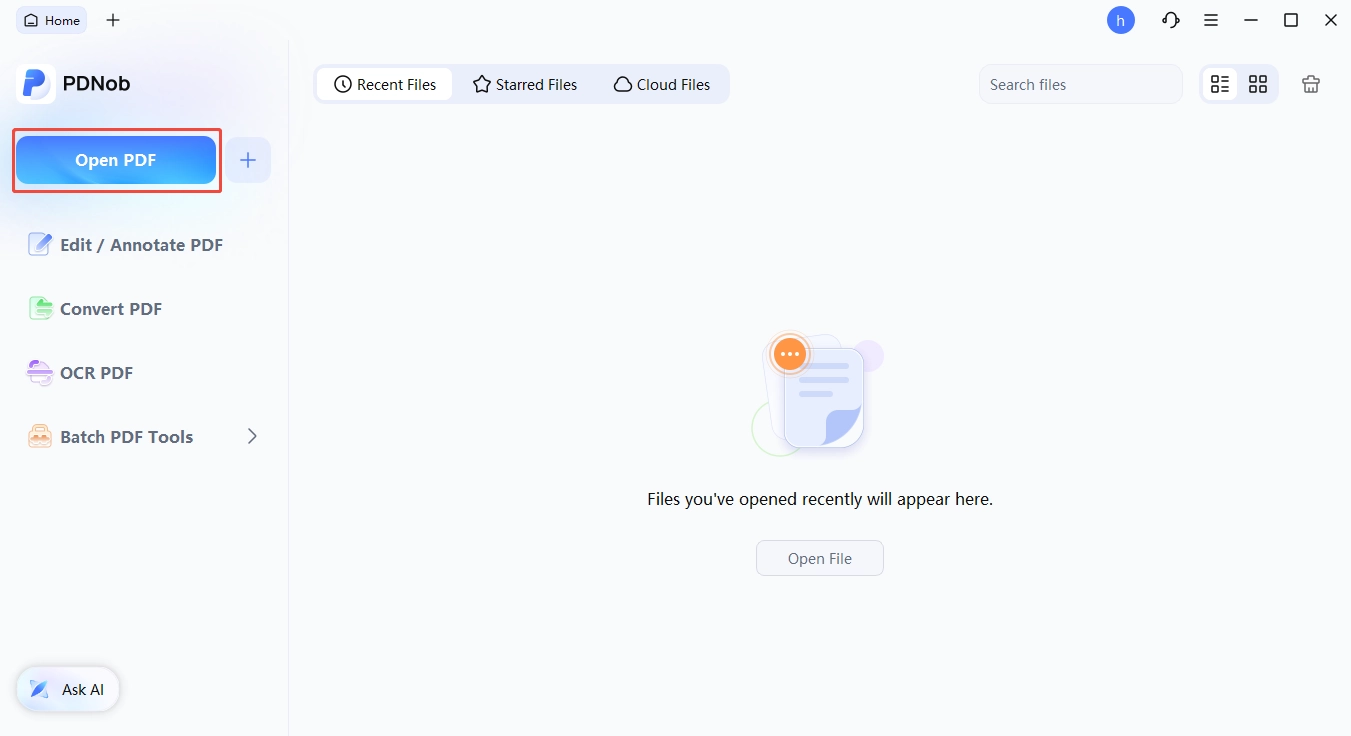
Step 2 . Import your scanned PDF. In the main interface, click the "OCR PDF" button, select the PDF files from your computer, and click "Open" to import them into PDNob.

-
Switch to bilingual reading. Once OCR is complete, go to the Edit tab and click the Translate feature in the sidebar to open a parallel bilingual PDF view.
Conclusion
Free, authorized PDFs are easier to find than most readers realize. You just need to know where to look. Legal websites to download PDF books for free in 2026 fall into four buckets: public-domain classics (Project Gutenberg, Open Library, Standard Ebooks), academic preprints (arXiv, PubMed Central, DOAJ, JSTOR OA), open textbooks (OpenStax, Open Textbook Library), and curated modern catalogs (ManyBooks).
Once you've built up a library, a tool like PDNob PDF Editor makes those files genuinely usable. OCR for scanned books, bilingual reading for language learners, and cloud sharing for study groups. If you've been putting off your reading list because the PDFs felt unusable, give this stack a try. You might be surprised how much free, authorized material is already out there.
Part 7. Frequently Asked Questions on Legal Free Websites to Download PDF
Q1. Are these eleven legal websites to download PDF books really 100% authorized?
A1: Yes for "Fully authorized" sites, which host only public-domain or open-license material. For "DMCA-compliant" and "Mostly authorized" entries like ManyBooks, content comes from user uploads, so check the source before redistributing.
Q2. Do I need to create an account to download?
A2: Most sites don't require an account; only Open Library and JSTOR Open Access need a free one for lending or bookmark features.
Q3. Can I download on mobile?
A3: Yes --- nearly all these sites work in mobile browsers, so I move files into PDNob for offline search, highlighting, and translation.
Q4. What if the book I want isn't available for free?
A4: Borrow it digitally through your library (OverDrive or Libby), buy a used copy, or check whether the author released it under a Creative Commons license --- piracy isn't the answer.
Q5. Are there authorized alternatives to LibGen and Z-Library?
A5: Yes --- the entire list above serves that purpose: DOAJ and arXiv for papers, OpenStax and Open Textbook Library for textbooks, and your library's digital lending app for modern fiction.
Q6. How do I know if a PDF is in the public domain?
A6: A work is public domain if its copyright expired or was never claimed; for U.S. works, anything published before 1930 is safe, and anything after requires checking the copyright term or U.S. Copyright Office records.
Q7. Will using PDNob affect the original file?
A7: No --- PDNob works on a copy, so the original stays untouched in your downloads folder and you can always revert to the unmodified source.



- Make scanned PDFs searchable and editable with 99% OCR precision
- Batch convert PDFs to Word, Excel, PPT, images, PDF/A, Text, EPUB, etc., up to 30% faster
- Edit PDFs easily like Word, including text, images, watermarks, links, and backgrounds
- Annotate PDF with highlights, comments, shapes, stickers, and stamps
- Run smoothly on any PC without lags or crashes, even on low-spec machines
 Secure Download
Secure Download
Speak Your Mind
then write your review
Speak Your Mind
Leave a Comment
Create your review for PDNob articles

Related articles

AI Tools Writer / Workflow Analyst
Rachel has spent the last 5 years testing and writing about AI-powered tools across writing, design, and research workflows. She focuses on practical AI tool usage, helping knowledge workers turn generative AI into everyday productivity.


