
 Home
>
Annotate PDF
>
How to Redact a PDF without Adobe Pro for Free in 2026?
Home
>
Annotate PDF
>
How to Redact a PDF without Adobe Pro for Free in 2026?
How to Redact a PDF without Adobe Pro for Free in 2026?
If you are searching for how to redact a PDF without Adobe Pro, you are not alone. Many users want to quickly hide or remove sensitive information from PDF files without paying for Adobe Acrobat Pro. The problem is that Adobe Pro is powerful but you can't redact pdf free with adobe, and not everyone needs enterprise-level redaction tools.
That is why more users are looking for alternatives such as how to redact a pdf without adobe pro free, online tools, and lightweight desktop software. In this guide, we will explain 2 best ways to redact PDFs without Adobe Pro , including free online tools, and offline solutions like PDNob. By the end, you will know:Which tool is best for your needs.

Part 1. How to Redact a PDF Without Adobe Pro (Best Alternatives)
If you are looking for how to redact a PDF without Adobe Pro for free, there are 2 main approaches: using an offline PDF editor or an online PDF redaction tool. It is also important to know that Adobe Acrobat Pro does not provide a fully free redaction feature long-term---PDF redaction is part of the paid Pro version, while the free Acrobat Reader only supports viewing and basic annotations. Below, we compare each methods in detail.
Redact PDF Free offline: PDNob
PDNob PDF Editor is a lightweight offline PDF editor that allows users to perform basic redaction-style actions, such as blacking out text or covering sensitive content.It is designed for users who want a simple and fast solution without needing Adobe Pro.





- Redact PDF document: Permanently remove sensitive information – the core need for secure redaction.
- Edit PDF text, images, and layout: Directly modify any PDF element without Adobe Pro.
- Convert Scanned Files to Searchable & Editable: Turn scanned images into editable text via built-in OCR.
- Convert PDF to Word, Excel, PPT: One-click conversion while keeping formatting intact.
- Compress and organize PDF files: Reduce file size and reorder pages effortlessly.
Steps to Redact PDF in PDNob
-
Download and install PDNob PDF Editor. Open the software and click "Open PDF" to upload your document.
-
Click the "Protect" tab in the top menu. Select "Mark for Redaction" from the toolbar.
-
Use your cursor to select text or images to redact---drag over paragraphs or specific areas. After reviewing, click Apply Redaction to permanently remove marked content.
-
Once redaction is complete, go to "File" > "Save As" to export and save your redacted PDF to your desired location.
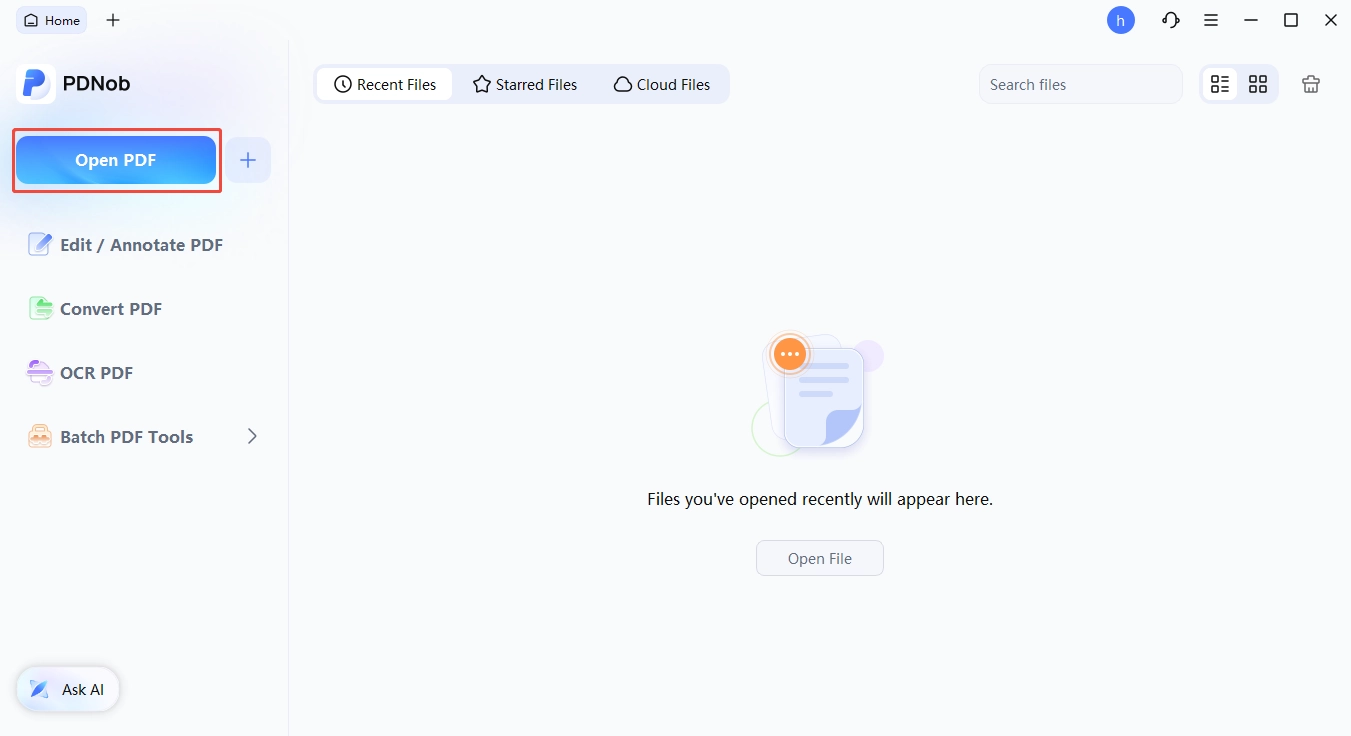


Using PDNob to redact sensitive information is very convenient. It works offline, has a simple and intuitive interface, and is easy for beginners to get started with. It also offers a free trial, which makes it accessible for users who want to test its features first. In addition, I recommend using the built-in search function to quickly locate the text that needs to be redacted, which significantly improves efficiency when handling large documents.

- Quick offline redaction tasks
- Users who need privacy without cloud upload
- Beginners looking for simple tools
Redact PDF free online: iLovePDF Redact PDF
If you do not want to redact PDFs online with Adobe, online tools like iLovePDF can also serve as an Adobe alternative, offering a simple way to black out or hide sensitive text directly in your browser.
Steps to Redact PDF in iLovePDF
Go to Redact PDF and upload the PDF you wish to redact.
-
Use the search bar to find keywords or automatically redact credit card information, phone numbers, and email addresses. Alternatively, click on the redact icon at the top of the screen to manually highlight selected content or click on the page redaction icon to redact entire pages.
-
3.Revise your selected content and click Redact.


People who need simple way to redact PDFs online
Pros
- Easy to use in a browser
- No installation required
- Fast for basic PDF tasks
Cons
- Less suitable for confidential or sensitive documents
- Redaction options are more basic compared to desktop software
I tested iLovePDF for simple PDF redaction and basic blackout tasks. The interface was clean and beginner-friendly, and the upload/edit/download process was very fast. It worked well for temporarily hiding visible text in ordinary documents. However, for files containing sensitive personal or financial information, I would still prefer an offline tool because online PDF processing may raise privacy concerns.
Part 2.How to Redact a PDF With Adobe Pro?
Many users still search for how to redact a pdf with adobe pro because Adobe Acrobat Pro is considered the industry standard.
Steps to Redact a PDF with Adobe Pro
-
Select Tools › Redact.
-
Use the crosshair to draw rectangles over the text or images you want to permanently remove from the PDF.
-
3.Optional: If you don't want a black box, select your preferred redaction marks. Click the drop-down menu next to the Redact Text & Images box, and select Redaction Tool Properties. Pick outline and fill colors for the redacted area, or click Use Overlay Text. Add custom text in the field, choose from US Privacy Act and FOIA codes, or import new codes. Click OK when you have your selections.
-
Click Apply. A pop-up will appear warning you that once you click OK, the redacted information will be permanently deleted and you won't be able to retrieve it.
-
In the same pop-up window, select whether you want to remove the hidden data and metadata as well. Sanitize the PDF by leaving the toggle button on. (Read more about sanitizing documents below.)
Click OK to apply the redactions.


Acrobat Pro:US$19.99/mo, Acrobat Studio:US$24.99/mo
Legal and business users
Pros
- Industry-standard PDF redaction tools
- Supports permanent redaction workflows
Cons
- Expensive subscription cost
- Complex for beginners
- Heavy software for users who only need simple PDF redaction
I tested Adobe Acrobat Pro for PDF redaction on contracts and scanned documents. The redaction workflow felt professional and comprehensive, but the interface can feel overwhelming for users who only want to quickly black out sensitive text. For everyday PDF redaction tasks, the subscription price may also feel too high compared to simpler alternatives.
Part 3. Quick Comparison Table: The Best Redaction Software
Adobe Acrobat Pro remains the industry's most authoritative and comprehensive solution for PDF processing and redaction---particularly well-suited for professional environments with stringent security and compliance requirements.
However, for lightweight sensitive information masking or basic redaction tasks, tools such as PDNob PDF Editor and iLovePDF are entirely sufficient; they offer simpler workflows and come at a lower cost.
It is worth noting that online tools may entail data security risks during the file upload and processing stages; therefore, they should be used with caution when handling sensitive or confidential content.
 Please swipe to view
Part 4. FAQs about Redacting PDFs without Adobe Pro
Q1. How do I black out text in a PDF without Adobe Pro?
A1: You can use tools like PDNob or iLovePDF to black out sensitive text. These tools let you quickly apply redaction or blackout effects without using Adobe Pro.However, if you are handling sensitive or confidential files, it is not recommended to use online tools due to potential privacy and security risks.
Q2. What are common redaction mistakes?
A2: Common mistakes include only covering text visually instead of fully removing it, using annotation tools instead of proper redaction features, and forgetting hidden metadata. Always ensure the final file is properly sanitized before sharing.
Q3. Is there a free version of redact?
A3: Yes. Many tools offer free plans. If you search for how to redact a pdf without adobe pro free, you will find both offline tools like PDNob and online tools like iLovePDF.However, online tools may have limitations in advanced security.
Conclusion
Finding a reliable way for how to redact a PDF without Adobe Pro is actually much simpler and cheaper than you might think. If you are looking for a quick and lightweight alternative, tools like PDNob PDF Editor and iLovePDF are excellent options that get the job done without the expensive Adobe subscription. They offer incredibly easy workflows, making basic document masking and quick edits accessible to everyone.
However, choosing the right tool comes down to your specific needs. While online tool is perfect for fast, browser-based tasks on the go, it's always wise to consider the privacy risks of online tools when handling highly sensitive or confidential files. By matching your workflow to the right lightweight solution, you can easily protect your data on your own terms.



- Make scanned PDFs searchable and editable with 99% OCR precision
- Batch convert PDFs to Word, Excel, PPT, images, PDF/A, Text, EPUB, etc., up to 30% faster
- Edit PDFs easily like Word, including text, images, watermarks, links, and backgrounds
- Annotate PDF with highlights, comments, shapes, stickers, and stamps
- Run smoothly on any PC without lags or crashes, even on low-spec machines
 Secure Download
Secure Download
Speak Your Mind
then write your review
Speak Your Mind
Leave a Comment
Create your review for PDNob articles

Related articles

Document Workflow Specialist
Daniel has reviewed and written about PDF editors, document tools, and productivity software for 3 years, with a particular interest in how small teams handle paperwork at scale.


