How to Compress PDF with PDNob - User Guide
Encountering the "file too large" warning when emailing a PDF can be frustrating. PDNob PDF Editor makes it simple to shrink your PDF quickly while maintaining quality. Follow these instructions to compress your PDF with ease:
-
Open the PDF in PDNob PDF Editor
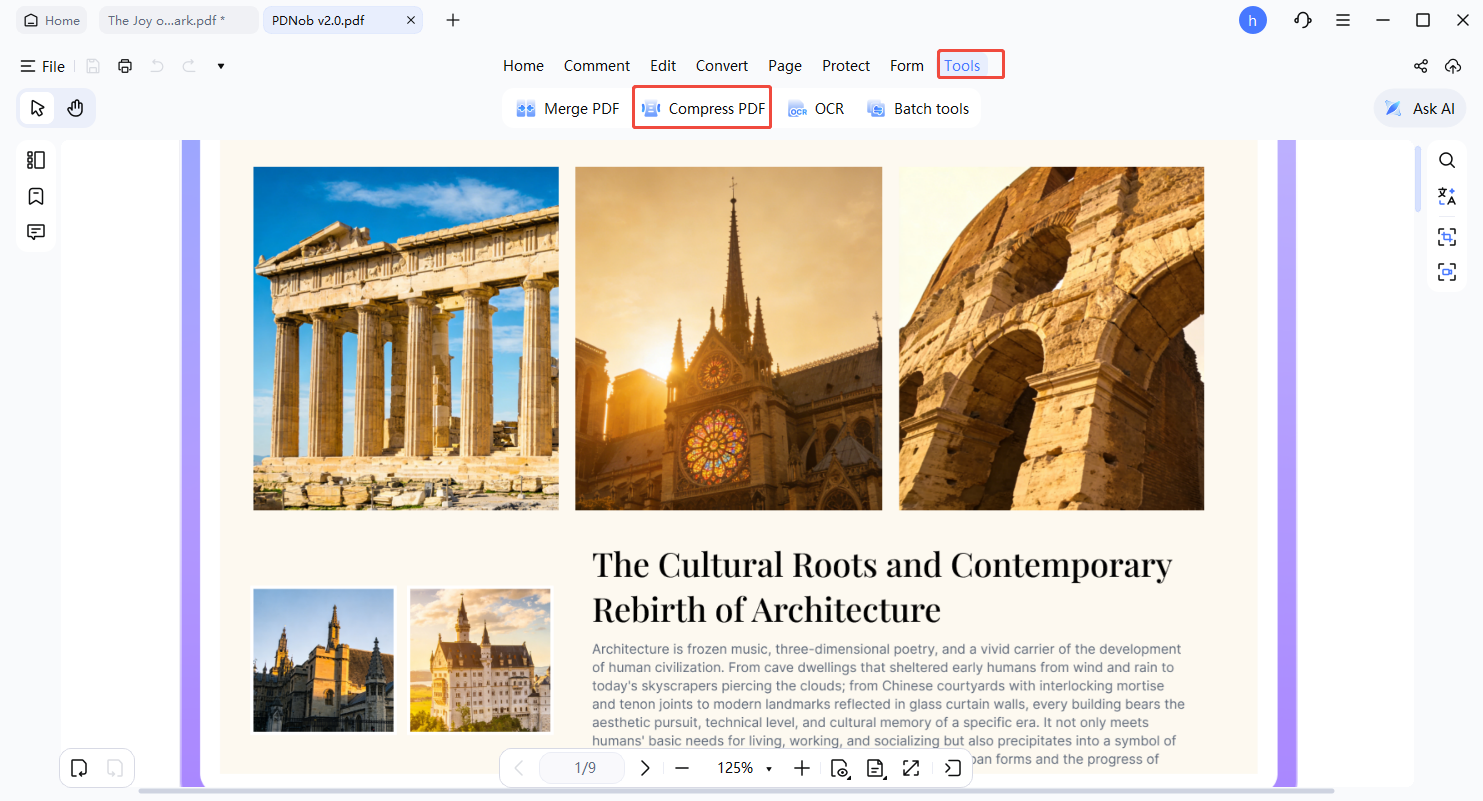
Start PDNob PDF Editor and open the PDF file you want to compress. In the top toolbar, click Tools and select Compress from the options.
-
Select the Compression Tool
In the dropdown menu, choose Compressed PDF. A new window will appear with multiple compression levels for selection.
-
Pick the Compression Level
You can choose among options like High quality, Medium quality, or Low quality.
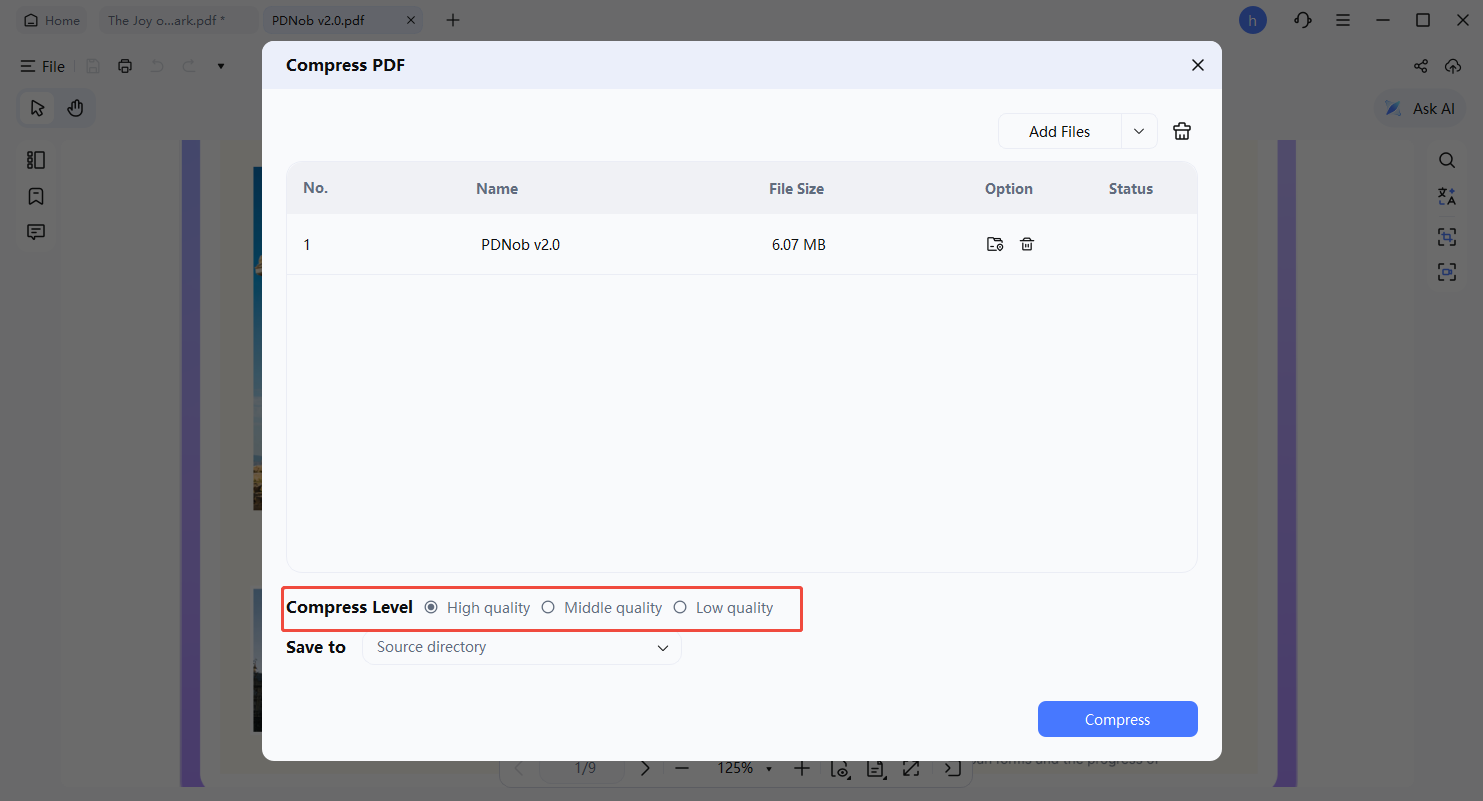
Lower quality settings reduce the file size more but may take slightly longer to process. Choose the option that balances size and quality according to your needs.
-
Save the Compressed PDF
Once the compression level is set, click Compress. Select a location for the file, give it a name, and click Compress again. Your PDF is now smaller in size and ready for sharing.