Edit Scanned and Image-Based PDFs
Turn scanned or image-based PDFs into fully editable documents while preserving the original layout and formatting.
PDNob OCR
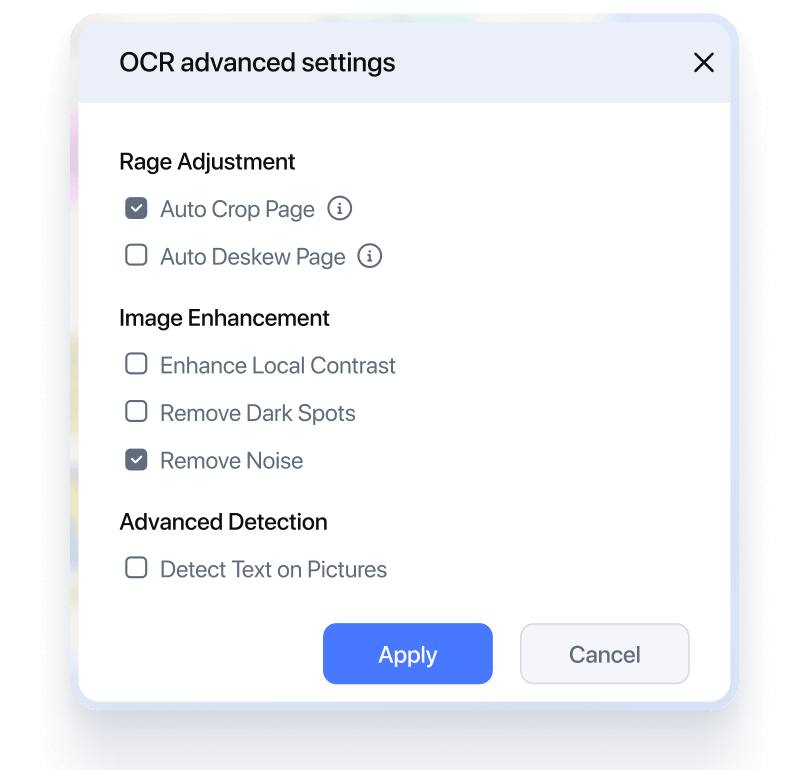
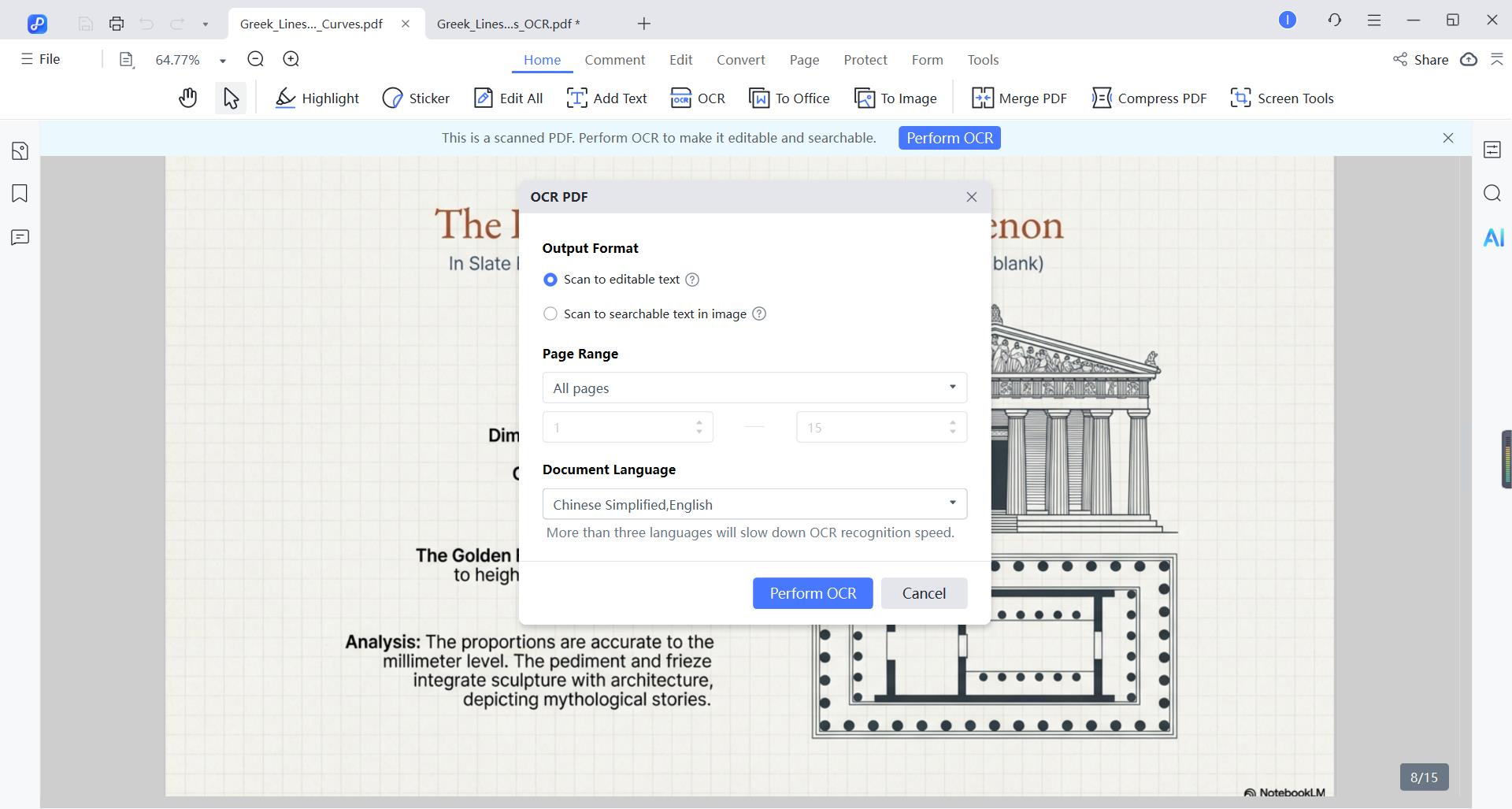
Turn scanned PDFs and images into editable, searchable PDFs with precise OCR. Preserve formatting, correct skewed pages, extract text instantly, or sharpen blurry documents.


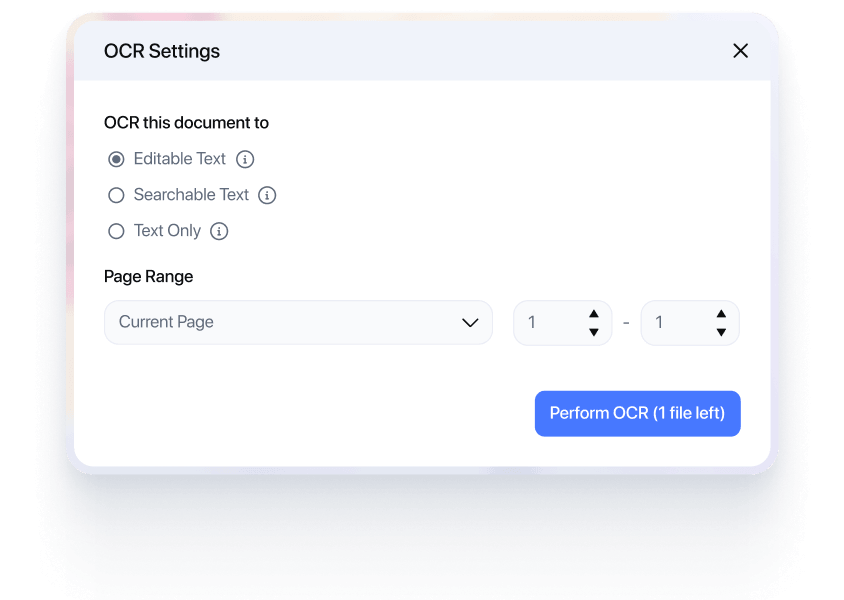


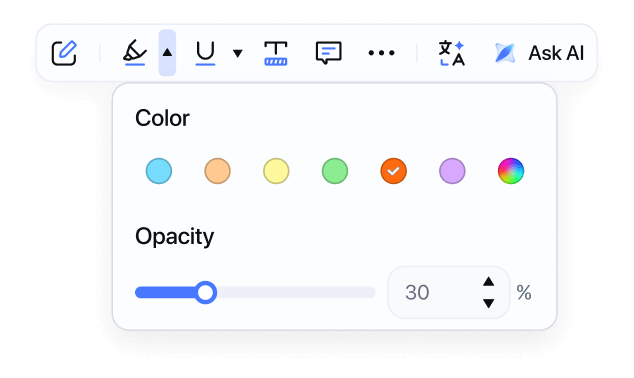

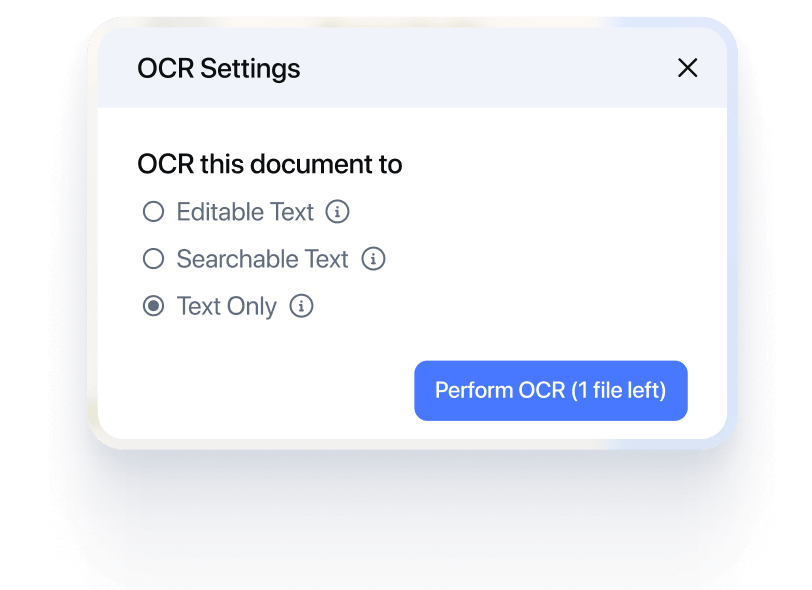



Turn scanned or image-based PDFs into fully editable documents while preserving the original layout and formatting.

Extract text from scanned PDFs or images with high accuracy - perfect for copying, searching, or reusing content.

Improve clarity by enhancing blurry scans, correcting skewed pages, and making low-resolution PDFs sharper and easier to read.

Process multiple PDFs at once with batch OCR to save time and boost productivity.

Achieve precise text extraction, even from difficult fonts, blurry, or low-quality scans.

Maintain the original layout and formatting, ensuring a clean and professional output.

Effectively recognize and preserve images and graphics within PDFs.
Say goodbye to messy scans - high-precision recognition with original formatting

PDNob intelligently identifies headings, paragraphs, tables, and formatting, then outputs results that retain the original layout. No more reformatting or misplaced content.

Blurry, skewed, or noisy scans don’t stand in our way. Our system automatically corrects alignment, sharpens text, removes background noise, and cleans up images before OCR processing.

OCR accuracy depends heavily on text clarity. PDNob uses embedded and pre-configured fonts to accurately recognize special typefaces, symbols, and multilingual text.

Handling mixed languages, dates, amounts, or symbols? PDNob accurately recognizes Chinese, English, bilingual text, currencies, dates, and special characters.

See All Supported Languages
See All Supported Languages

Brought My PhD Research to Life
“My dissertation relied heavily on 19th-century journals only available as scanned images from the library archive. PDNob OCR allowed me to convert them into text I could actually work with - searching, highlighting, and quoting accurately. It was indispensable and saved me months of work.”


Dr. Aris Thorne
History Postdoctoral Researcher
Perfect for Creating Accessible Materials
“As a course instructor, I often scan book chapters or articles for my students. Using OCR ensures the PDFs are accessible for screen readers and comply with accessibility standards. Plus, students can highlight and annotate the text directly. It's a simple step with a big impact on inclusivity.”

Professor James Miller
University Professor of Sociology
Unlocks Old Publications
“I work with rare botanical illustrations and texts. Many old field guides are beautiful scans but useless for copying Latin plant names. A quick OCR pass fixes that. I can now extract species names and details to build my database. It bridges the gap between historical documents.”

Clara Evans
Botanical Research Archivist
Case File Game Changer
“Before using OCR, searching through scanned deposition transcripts was a nightmare. Now, I can find any keyword or phrase in seconds. It has literally cut my case preparation time in half. The "Make Searchable" feature in my PDF editor is the most used tool in my digital toolkit.”


Sarah Chen
Litigation Attorney
From Paper Weight to Powerful Asset
“We digitized 30 years of past contracts and agreements. Running batch OCR turned thousands of image-only PDFs into a fully searchable knowledge base. Now, when drafting a new M&A clause, we can instantly find and reference all past relevant documents. It's transformative for due diligence and consistency.”

Robert Finch
Corporate Legal Counsel
Accuracy is Key, and This Delivers
“I was skeptical about OCR accuracy on dense, footnote-filled legal briefs. I tested several tools, and the one integrated into my PDF software surprised me. It handles complex formatting and small fonts very well. Rarely do I need to correct a recognized word. It's reliable enough for high-stakes work.”

Elena Rodriguez
Legal Research Specialist
Audit Trail Made Easy
“During our annual audit, the auditors requested all invoices from Q3. Instead of handing over boxes of paper or unsearchable scans, I provided a single, OCR-processed PDF portfolio. They could search by vendor name, invoice number, or amount directly. It made the process smooth and professional.”

David Park
Senior Accountant
No More Typing Receipts
“My job involves processing hundreds of employee expense reports. The built-in OCR in our PDF solution allows me to copy text directly from scanned hotel or restaurant receipts and paste it into our system. It eliminates manual data entry errors and saves me at least 10 hours a month.”

Lisa
Accounts Payable Coordinator
A Must-Have for Record Retention
“We are required by law to keep financial records for 7 years. Storing paper is risky and takes space. We now scan everything and run OCR. Finding a specific transaction from years ago used to take an afternoon. Now, it's a 30-second search. It's crucial for compliance and peace of mind.”

Michael Gibbs
Finance Director
Finally Found What We Already Had
“Our shared drive was a cemetery of unscanned paper and unsearchable PDFs from past projects. We initiated a "Great OCR" project. Now, employees can find past proposals, meeting notes, and designs in seconds. It’s like we gained institutional memory overnight. ROI was immediate.”

Tom Harrington
IT & Operations Manager
The First Step to Going Paperless
“Our goal was a paperless office. The challenge was what to do with all the existing paper. We set up a scan station with a Fujitsu scanner that auto-runs OCR. Now, every document that comes in becomes a searchable, archivable PDF. It's the backbone of our digital workflow. Simple and effective.”

Priya Singh
Office Administration Lead
Lifesaver for Board Meetings
“Preparing board meeting packs used to be chaotic—last-minute scans of signed resolutions, financials, and reports. Now, everything is OCR'd as a final step before distribution. Board members, especially the tech-savvy ones, love being able to quickly search through 200-page packs during the meeting.”

Jessica Brown
Executive Assistant to the CEO
Start free with essential OCR tools
$ 0.00
Free to use. No credit card required.
Top Features
Unlock unlimited OCR + advanced features
$64.99
Lifetime License - 2 Users
Top Features
OCR (Optical Character Recognition) is a technology that converts scanned documents or images containing text into editable and searchable digital text. In PDNob PDF Editor, OCR helps you turn non-editable PDFs into fully editable files.
PDNob OCR supports scanned PDFs and image formats such as JPG, PNG, and TIFF, allowing you to convert them into editable PDFs or text files.
Our OCR recognition currently supports the following languages: Arabic, Chinese Simplified, Chinese Traditional, Dutch, English, French, German, Indonesian, Italian, Japanese, Korean, Portuguese, Russian, Spanish, Thai, and Turkish.
PDNob OCR achieves an accuracy rate of over 99% and works reliably even on skewed, blurred, or spotty documents. Its core technology is AI-OCR with deep learning, which intelligently corrects skew, removes noise, and restores unclear strokes. Combined with ADRT® technology to preserve original formatting and offline processing for speed and privacy, PDNob delivers high-quality recognition on challenging documents.
No. PDNob PDF Editor's OCR feature can be processed locally, ensuring your files remain private and secure without continuous internet access.
Yes. After OCR is completed, you can directly edit, copy, modify, or export the recognized text in your document.
Yes. You can process multiple files at once using OCR, which greatly improves efficiency when handling large volumes of documents.
No. OCR generates a new editable version of your document while keeping the original file unchanged, so you can compare or reprocess it anytime.
Edit PDF
 Convert PDF
 AI PDF Tips
 OCR Tips
 PDF Reviews
Can't edit your PDFs just right? Learn how to modify text, rearrange pages, add annotations, and lock files with passwords.
File stuck in the wrong format? Discover how to turn PDFs into Word, Excel, images, and back again — hassle-free.
Still doing PDF work manually? Unlock AI-powered tricks to summarize long docs, rewrite content, and extract key info in seconds.
Scanned docs you can't copy from? Master OCR tools to turn images into editable, searchable text — fast.
Not sure which PDF tool is safe or worth it? Read honest, real-world tests and buying guides.

Your all-in-one PDF editor for Windows, Mac and iOS. Edit, convert, and manage PDFs anywhere - across all your devices.