
PDNob Online is currently available only on Windows and Mac desktop computers. Please switch to a desktop browser to use our features.
Founded in 2007, Tenorshare PDNob is trusted by millions to simplify work.


8,574,720 files have been successfully converted for free.
Get PDNob Desktop, Your All-in-One PDF Solution!
3 simple steps to convert PDF to Word without losing formatting:
Upload your PDF to the converter — supports files up to 15MB.
Choose standard conversion or enable OCR to handle scanned PDFs.
Download your Word document with original layout fully preserved.
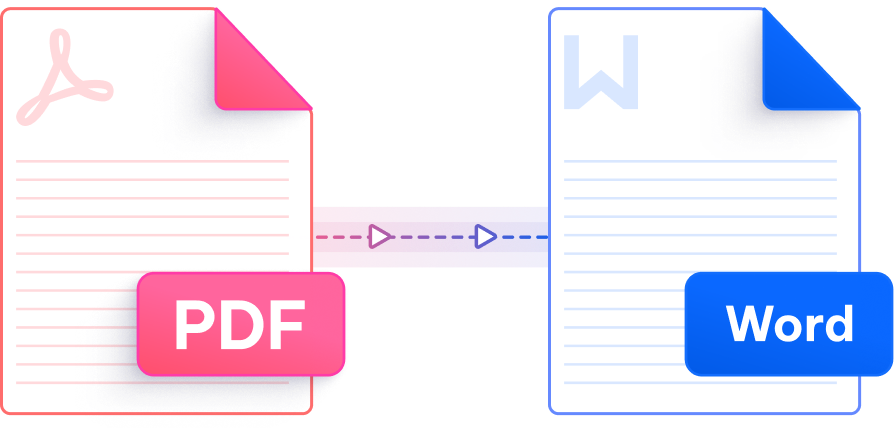
Precision-engineered to retain every font, table, and column — so your Word file looks exactly as intended.

Our engine maps every element — columns, indents, headers, and footnotes — so the resulting Word file mirrors your original PDF structure without any manual cleanup.

Jump straight into converting — no email address, no subscription, no waiting. Upload your PDF and convert PDF to Word without formatting back in moments, completely free.

Scanned or image-based PDFs are no obstacle. Powered by ABBYY — the global standard in document recognition — PDNob extracts text with exceptional accuracy and rebuilds it as fully editable Word content.

Whether your PDF is in English, German, Japanese, Arabic, Korean, Chinese (Simplified or Traditional), French, Spanish, Portuguese, Russian, Dutch, Italian, Indonesian, Thai, or Turkish — PDNob handles it accurately.

No software to install, no plugin to configure. Open PDNob in any desktop browser and convert PDF to Word without losing formatting — right from your Windows or Mac computer.

Every upload travels through 256-bit SSL encryption. Your documents are processed in isolated sessions and never retained on our servers, keeping sensitive content fully under your control.
Apart from easily process the task to convert PDF to Word without losing formatting, this AI-powered PDF editor delivers advanced editing, smart annotations, precise OCR scanning, and batch processing — all offline. Ideal for professionals and students who need reliable, high-volume document management.

PDF and Word use fundamentally different layout engines. PDFs lock content into fixed positions using absolute coordinates, while Word uses a flowing, style-based layout. When a basic converter tries to re-map that structure, fonts get substituted, columns collapse, and spacing shifts. PDNob avoids this by analyzing the document's underlying structure before conversion and rebuilding each element — headings, tables, text boxes, and images — as native Word objects, so the output stays true to the original.
Yes. Table detection is one of the trickier aspects of PDF-to-Word conversion, but PDNob specifically identifies cell borders, merged cells, and column alignment within PDFs and reconstructs them as proper Word tables. The result is an editable table in .docx format, not a collection of misaligned text fragments.
It does — but scanned PDFs require OCR first, since they contain images of text rather than actual text data. PDNob uses ABBYY OCR technology to read the text from scanned pages and then applies the same layout preservation logic. When you upload a scanned PDF, simply select the OCR option before converting, and the output Word file will be fully editable with formatting intact.
PDNob's online tool supports PDF files up to 15MB. For documents larger than this — such as lengthy reports, technical manuals, or image-heavy files — we recommend PDNob Desktop, which handles large files locally without size restrictions and includes batch conversion for processing multiple PDFs at once.
Open any desktop browser on your Mac — Safari, Chrome, or Firefox — and go to this page. Upload your PDF, choose your conversion mode, and download the resulting Word file. No installation is required. macOS users get the same high-fidelity output as Windows users, since the conversion runs entirely in the cloud. For offline Mac conversion, PDNob Desktop is also available for macOS.
PDNob uses 256-bit SSL encryption to protect every file in transit. Uploaded documents are processed in isolated sessions and are not stored on our servers after conversion is complete. The service also complies with GDPR. For documents with especially sensitive content — legal contracts, financial records, medical files — PDNob Desktop offers a fully offline alternative, so your files never leave your machine.
The online tool processes one file at a time. If you regularly need to convert PDF to Word without losing formatting across multiple documents, PDNob Desktop supports batch conversion — letting you queue several PDFs and convert them all in a single run, saving significant time on repetitive tasks.
Edit, merge, sign, and convert PDFs effortlessly.
 PDNob Online
750,796,000 Users

PDF Leaders
Since 2007
10M+ Docs
Protected Daily
ISO
Certified Tools
Your Files
Never Stored