
PDNob Online is currently available only on Windows and Mac desktop computers. Please switch to a desktop browser to use our features.
Founded in 2007, Tenorshare PDNob is trusted by millions to simplify work.


2,068,190 files have been successfully converted for free.
Get PDNob Desktop, Your All-in-One PDF Solution!
Follow these steps to extract text from scanned PDF:
Upload your scanned PDF to the OCR text extractor online.
Select the "With OCR" option, then click "Convert to Text" to extract text from the scanned PDF.
Download the editable text file and save it to your device.
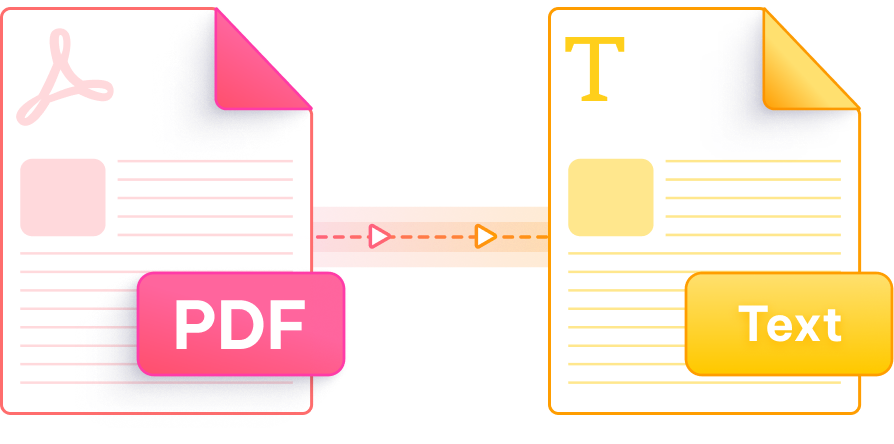
Intelligent OCR technology that turns image-based PDFs into fully editable, searchable text — no software required.

Powered by advanced AI recognition, PDNob achieves up to 99% accuracy when extracting text from scanned PDFs, including complex layouts and multi-column documents.

Whether it's a scanned book, invoice, form, or image-based contract, PDNob reliably identifies and extracts readable text without missing a line.

All uploaded files are encrypted with 256-bit SSL and automatically removed after processing. Your sensitive documents stay confidential and GDPR compliant.

No installation needed. Open PDNob in any browser on Mac, Windows, or mobile and get your scanned PDF converted to editable text in seconds.

PDNob supports OCR extraction across 10+ languages, making it easy to extract text from scanned PDFs in English, Chinese, French, German, Spanish, and more.

The extracted text is formatted and structured so it's immediately usable — copy it, paste it, or save it as a .txt file without cleanup.
Go beyond basic text extraction with PDNob's desktop app — featuring AI-powered OCR scanning, smart document editing, precise annotations, and flexible compression, all accessible offline. Perfect for professionals, researchers, and students handling high volumes of scanned documents.

Yes. PDNob's online OCR tool lets you extract text from scanned PDFs at no cost. Simply upload the file, select the "With OCR" option, click "Convert to Text," and download the result. No account or credit card is required to get started.
Scanned PDFs are essentially images — there is no underlying text layer, so standard copy-paste does not work. You need an OCR (Optical Character Recognition) tool like PDNob to analyze the image and convert it into selectable, editable text before you can copy or edit it.
PDNob uses AI-powered OCR that delivers up to 99% accuracy on clearly scanned documents with standard fonts and good image quality. Accuracy may vary for low-resolution scans, handwritten text, or documents with heavy graphical overlays. For best results, ensure your scanned PDF has a resolution of at least 300 DPI.
PDNob works entirely in the browser, so Mac users can extract text from scanned PDFs in Safari or Chrome without downloading any software. Mac's built-in Preview app can only handle digitally created PDFs — it cannot process scanned or image-based files, making PDNob a practical alternative.
Yes. PDNob's OCR engine supports more than 10 languages including Chinese, French, German, Spanish, Japanese, and Korean. The tool automatically detects the language in most cases, though you can also select it manually for better precision on mixed-language documents.
PDNob's AI handwriting recognition can extract text from handwritten scanned PDFs across multiple languages. Recognition quality depends on handwriting clarity and consistency — neat, printed handwriting converts more accurately than cursive or irregular styles.
In Adobe Acrobat Pro, open the scanned PDF, go to Tools, select Scan & OCR, then click Recognize Text. Save the result as a text file. PDNob offers a comparable workflow entirely online without requiring a subscription or software installation.
Yes, libraries like Tesseract OCR combined with pdf2image can extract text from scanned PDFs in Python. However, this requires coding knowledge and environment setup. PDNob provides the same outcome instantly in a browser, which is more practical for most users who need quick results without writing code.
Edit, merge, sign, and convert PDFs effortlessly.
 PDNob PDF
750,796,000 Users

PDF Leaders
Since 2007
10M+ Docs
Protected Daily
ISO
Certified Tools
Your Files
Never Stored